Neil Matthews

Blog

  • Migrating from Blogger to WordPress

    photo by Conner395

    photo by Conner395

    It”s a piece of p!ss migrating from blogger to a self hosted WordPress installation.  I have done it for a couple of my own blogs and for clients, so I speak from experience.

    Importing the Posts, Comments, Tags & Kung Fu WotNots

    If you scroll down the menus in your WordPress dashboard, you will see the tools section, and under there is an import function, and under the import is a huge list of competing blog platforms from which you can import, it should comes as no great mental leap to know that blogger is one of these platforms.

    Authorize Authorise

    It’s spelled with an S for flip sake.

    Once you reach the point of import, the first stage is to authorise your new WordPress blog with the Blogger API.  This means you are giving permission to Blogger to allow access to your posts from a remote server namely your new WordPress host.

    Click and Button and There You Go

    Once authorised, you simple click on the go button and a progress bar of the import is shown.  Once it is complete, a notification of the number of posts and other data imported is shown.  As long as you have the number you can reconcile the export/import.

    Google Juice and Gin

    If you have built up some links to your Blogger blog and are getting organic search traffic (AKA Google juice) then you don’t want to loose it.  There are ways to redirect this traffic to your new site.

    I use a 301 redirection javascript.  From your Blogger dashboard, add a javascript widget which does a 301 redirect to your new site.  A 301 tells the search engines your data has been moved.

    Never one to re-invent the wheel, I found an excellent article on this subject:

    http://laffers.net/howtos/howto-redirect-blogger-to-wordpress

    The Genius of An Easy Migrate

    It is a stroke of absolute genious to make migrating from the competing blog to WordPress as easy as can be.  Remove all obstacles to using your code and people will flock to it.  Make the move to WordPress you know it makes sense.

  • WordPress 2.7.1 Upgrade

    photo by lifeintoronto

    Many of you have probably noticed that the upgrade bar has appeared at the top of your WordPress blog notifying you to update to 2.7.1

    I have written in the past about the imporance of keeping your code base at the highest level in Should You Update Your Version of WordPress. I want to expand about this and talk about the  automatic upgrade process.

    Back It Up – How Many Times Do I have To Say It!

    I feel like a broken record, recently all I have done is write about backup.  Back it up before you do any upgrade [link to 6 times]

    Site Vault

    I just thought I would spend a few minutes writing about a new utility I am using to do my blog backups.

    The tool is Site Vault, and excellent little utilty which backs up your code base and database in one go.

    You setup the utility to backup ftp and upload a small script to backup your database.  One click backup and one click restore – excellent.

    It costs $19 for a full version, but comes with a 30 day trial, check it out, it comes highly recommended by me.

    Site Vault Demo (p.s. I don’t do affiliate links)

    Automatic Upgrade

    Part of the new 2.7 fucntionality is an automatic upgrade.  Normally I am a bit jittery allowing systems to upgrade automatically, I am old school I guess and like to see exactly what is being changed, and have the power to roll it back easily.

    But intrepid exploter that I am, I dedided to do it automatically so you dear readers can learn of my exciting voyage.

    Press The Button Cross Fingers

    I clicked on the button with my fingers crossed hoping that nothing would go wrong and to my extreme pleasure nothing did, the files were downloaded and applied to my code base with no fuss.

    The automaic upgrade does exactly what it says on the tin, one click automatic upgrade.

    My Experience

    Upgrading is a very simple process now, very much like upgrading plugins, I was very very impressed by the whole process, it takes a lot of the administrative burden away from maintaining your blog.

    I would like to see some sort of rollback process to take your blog back to the previous version, but I guess that may be in the future.

    I will definetly be using the automatic upgrade from now on.  Did I mention to backup before you start?

  • Guest Post on Problogger

    photo by timothymorgan
    photo by timothymorgan

    The most amiable Darren Rowse of Problogger.net gave me the opportunity to write a guest post on testing your backup strategy.

    I want to encourage people to test their backups before they need to do an emergency restore.

    See the full post at:

    http://www.problogger.net/archives/2009/02/12/testing-your-blog-backup

  • How Do You Solve A Problem Like a Plugin

    plugin

    One of the greatest things about WordPress is the huge community of individuals developing and supporting thousands of plugins for free.

    I am a plugin junkie, as soon as I notice a new plugin it’s downloaded and installed before you can say “Backup your database“.

    A problem I have seen with plugins is the support for them is provided free and on a best endeavours basis. What happens when the support is withdrawn and your plugin stops working.

    Plugin Unplugged What Now?

    A client of mine was very keen to use a particular plugin, but it was not working as it should have on his blog. The plugin installed and was activated correctly, certains parts of the code worked, but the principal part of the add-on did not work.  I was called in to make the plugin work.

    WP Dude to the Rescue, Cape-a-Flapping

    I thought this would be a very simple fix, find the root cause, search the developers support forum and apply the fix,  but to my horror, I found that the support site was down, and  it was down in a particularly weird manner, when I accessed the site, it returned a 403 forbidden error.  This means the owner of the site had secured the site so only authorised users could access the information.

    I suspected something was amiss with the plugin and the developer had shut down support after an avalanche of support calls.

    I could not find out what the problem was, or contact the developer, so how could I fix the problem?

    They Owe You Nothing, Nothing At All!

    If you are using a free plugin, and have not paid for a support contract, your use of the plugin is “as is”.  You cannot expect support.  Remember the developer has spent many hours developing this solution for free.

    Most plugins are released with a GNU license and the plugin in question states:

    This program is free software; you can redistribute it and/or modify it under the terms of the GNU General Public License as published by the Free Software Foundation; either version 2 of the License, or (at your option) any later version.

    This program is distributed in the hope that it will be useful, but WITHOUT ANY WARRANTY; without even the implied warranty of MERCHANTABILITY or FITNESS FOR A PARTICULAR PURPOSE.  See the GNU General Public License for more details.

    You should have received a copy of the GNU General Public License along with this program; if not, write to the Free Software Foundation, Inc., 51 Franklin St, Fifth Floor, Boston, MA  02110-1301  USA

    Search Outside of the Box

    The first thing I did was to search on Google for a solution to the problem, there are two possible outcomes to this:

    1. Someone out side of the support site is writing about and documenting solutions to your problem, Bloggers love to witter on about their successes, there is a good chance the solution is out there.
    2. The solution I used to investigate the problem was to view cached pages of the support site inside of Google to review the deveopers forum and lookup a solution to the problem.  Nothing is hidden on the net anymore.

    Ask Your Social Network

    The majority of bloggers also participate in social networks, why not fire out a question to your social network to see if anyone else has had the problem.

    I participate in Twitter and quite happily help people with WordPress problems if they stick a tweet out into the Twittersphere, fire off the question to your social network, you never know what will come back.

    Bring In An Expert

    Plugins are developed in PHP, a widely understood and used programming language, why not bring in an expert to reverse engineer the plugin and fix the problems you are having, post your problem to the many sites with freelance programmers such as Elance and get your problem solved.

    <shocking self promotion>

    If you need help with wordpress support problems check out my service page

    </shocking self promotion> 🙂

    Find an Alternative

    As I have mentioned there are thounsands of plugins out there.  A quick search will show that most problems requiring a plugin have been solved more than once.  If you cannot get support for your plugin, ditch it and install the competition.

    Am I Still a Junkie?

    I’m taking it one day at a time, for example today I delete three unsed plugins, I think I am on the mend, well until I look at the little widget pumping new plugin news into my head.

  • Cookies But No Millk

    Photo by inajeep
    Photo by inajeep

    I was approached by an artist in residence to a library in the US, he was developing a novel use of wordpress on a shared host which requested library users to leave comments.

    The Problem

    Using worcpress he was inviting users to review his artisit blog/site and to leave comments.

    The problme was that the shared machine in the library was leaving the comments of previous users visible to the next user.  The comments were to be  approved before display so seeing un-approved comments was not acceptable,

    The problem is that comments are held in a cookie and displayed to the commentor.  Because differnt users are using the same machine (and theref0re the same cookie) he data needs to be cleared down somehow.

    The solution

    No easy fix to this one, it was down and dirty and editing the wordpress code base to fix this one.

    A cookie is set in the file wp-comment-post.php, I edited this and added three lines to set the timeout of the cookies.  These lines set the timeout  to a point in the past.  I did it this way rather than removing the cookies as I was unsure how they were used in other parts of the code.

    I added the following three lines just before the wp_redirect command at the bottom of the file

    setcookie(‘comment_author_’. COOKIEHASH,””, time() – 3600);
    setcookie(‘comment_author_

    email_’. COOKIEHASH,””, time() – 3600);
    setcookie(‘comment_author_url_’ . COOKIEHASH, “”, time() -3600 );

    Things To Remember

    Whenever you update the wordpress code base with the next release of WordPress you will need to update the php file.  If the functionaltity I “hacked” is ever changed, a new solution will be required.

    Did It Work?

    Of course it did, my client was very happy with this neat solution, and I was frankly amazed it worked first time!

  • 6 Key Times You Should Backup Your WordPress Blog

    clock

    In my opinion there are six key times you should perform a backup of your wordpress blog.

    1. When You Update WordPress

    The WordPress code is updated regularly, but before you even consider FTPing the latest shiny version up to your host, backup the existing code base and database.

    2. When You Install a Plugin

    I am guilty of plugin addiction and I install loads of new and glittery plugins to my blogs all of hte time, and I often do not backup before I do this.  YOU SHOULD backup befire installing plugins.  Some of them amend your wordpress database, some drastically chaneg how your blog works.  Have a checkpoint to return to if the plugin causes problems.

    3. When You Install/Change Your Theme

    Changing your theme may not seem like a huge event, but consider that many people customise their themes, take a backup of your changes before you change themes and delete your hard design work.

    4.When You Have Written Some Quality Content

    The last post you clicked publish on was awesome and went straight to the front page of Digg.  You need to protect this asset by backing up your content.

    5.When You Install Other Applications

    Many blogs have systems other than WordPress installed on their websites.  I am thinking of things like forums and affiliate systems.  Many of these will share the MYSQL database that WordPress uses.  Backup your WP config and data before begining the install process.

    6.Regularly

    This is n0t really a point in time, but my last key timing for backups is to backup regularly.  Check out the many backup plugins such as Filosofo’s excellent utility and create a scheduled job to backup your blog.  I have my plugin create the backup and send it via email to me.  Then I simply skip the email to my archive.  I know I have a daily backup ready for any eventuiality.

    As a parting note backup often and soon.  Keep a number of checkpoints so you can recover to a point in time.

  • WordPress 2.7 Performance Issues

    tortoise

    Just a quick posts to talk about a number of issues I have seen with slow wordpress performance after a 2.7 upgrade.

    What I Have Seen?

    When you access the front end of the blog, things run especially slowly.  On a number of blogs I have seen the theme load but no posts.

    When you attept to connect to the backend i.e. wp-admin the problem is not re-created.

    Theme Schmemes

    The problems I am seeing are with themes which have not benn upgraded to make use of the new 2.7 functionality.

    I assume that they are trying ot run a previous version function, and when this does not work, the system retries for a period before failing.

    Testing For A Dodgy Theme

    There is a very quick test to see if your theme is causing your issues. Simply change your theme to the wordpress default theme, and test your blog again. If performance improves the theme is the culprit.

    If you are running a cache program disable is to ensure nothing is cached and the latest file are being served up.

    What to Do?

    Go back to the web designer who developed your theme and check to see if this is a know issue. It is quite probable that a 2.7 version of the theme has been released.

    Download this latest version and upload it to your blog, fingers crossed the problem will be solved.

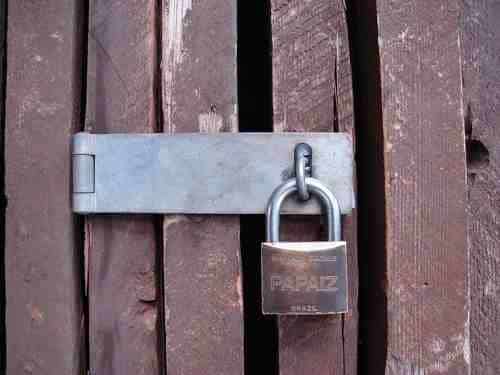
  • Blog Security: Part 1 Physical Access

    photo by mattimattila
    photo by mattimattila

    In the wider computer system community, security can be divided into five topics.  In this multi part series I would like to talk about these five areas and how corporate IT concepts can be applied to your blog.  The five subject headings are:

    • Logical Access
    • Physical Access
    • Segregation of Duties
    • Program Change Control
    • Continuity of Data Processing

    In the first part of this series, I will discuss logical access.

    What Is Physical Access Control

    Ensuring only authorised people can physically touch or be near to your server hardware.  In corporate IT, this is done by creating secured data centres with swipe card access and high security setups.

    I have worked with police IT departments where physical security is so important servers are hosted in armoured bomb proof data centres.  Your blog may not need a earth rampart around it,  but you should consider physical access controls if you are serious about blog security.

    What Can Someone do to your Service with Physical Access?

    With physical access comes physical damage or theft of hardware.   Dropping of power sources or removing of network cables.  Pulling out of hard disk drives or just running amok with a crow bar on your servers.

    With physical access comes threats to your finally crafted blog.

    Is It Really A Problem for a Blogger?

    Not really, the vast majority of us have our blogs hosted on hte physical hardware of hosting providers.  The problem of physical access control has been outsources to a thrid party.

    Ask Questions of Your hosting Provider

    How secure is their data centre, who has access to the servers which host your blog controlled.

    Ask these questions so you can be aqssured of decent physical access controls. If you are not happy with the answer from your host look around and take your blog elsewhere.

    If You Host Your Own Blog

    Well done, you are in the major leagues, Restrict access to your hardware, consider keeping your server is  a locked room or a purpose madeserver vault.  There are many of these locable, heavy duty server cabinets on the market.

    In Conclusion

    I think physical access control is not a major problem for bloggers, but check with your hosting provider to ensure your server is secured.

    Next in the series

    In the next part of this series, I will talk about logical access controls

    Previosuly – Series Introduction

  • The Five Factors of Blog Security

    padlock

    In the past I have worked in corporate IT as a computer auditor and security consultant.

    I thought I would take the lesson leanred from “enterpirse class” computing and teach you,the owner and author of a blog, how these principals can be used for a smaller but no less important computer sytem, your pride and joy blog.

    When I was auditing big enterprises, the security came in five catagories, they are:

    • Physical Access
    • LogicalAccess
    • Program Change Control
    • Segregation of Duies
    • Continuity of Data Processing

    Whilst on first impressions these may not seem appropriate for a blog, I think they are and in a series of posts I would like to take these subjects and show you how to apply them to your blog.

    If the security of your blog is compromised your work may be driven off line.  If your blog is used for professional reasons, you risk loosing money.

    Over a series of five posts I will be taking you through the five factors of blog security, I hope y0u enjoy this comparison of large computing and the perceived small time activities of bloggers.  Please leave comments if you feel

    I start the series tomorrow with a post on logical access control, why not subscribe to my RSS feed to catch all of the episodes.

    [private_WordPress Owners Club]

    WordPress Owners Club Restricted Content

    [/private_WordPress Owners Club]

  • CASE STUDY:Redirection Problems Using WordPress Options

    photo by beatboxbadhabit
    photo by beatboxbadhabit

    I was working with a client who wantedto redirect their blog from one domain to another, they has some issues with the process they used.

    The Problem

    At attempt to redirect the blog has been done byamending the site URL and the home page in the blog options within wordpress.

    This redirected as expected, but it also prevented login to the site.  When they tried to login to blog/wp-admin, they were redirected to newblog/wp-admin.  This made the admin section of the blog unaccessible.

    The Solution

    It was down and dirty database edit time.  I gained access to the hosting account and using phpmysqladmin I was able to edit the tables and revert back to the original blog URL and home page.  I also noted that the .htaccess file had a redirect to the wrong directory, so I amended this also.

    I installed the appropriate 301 redirection plugin and gave my client instructions on the best way to migrate domains.

    If you want to redirect your blog I recommend leaving your old blog intact and using a 301 redirection plugin.  I detail this in my case study post  Migrating From One Domain to Another

  • CASE STUDY: Password Reset Not Working

    photo by tomasrotger
    photo by tomasrotger

    I was approached by a client who was having problem with the wordpress password reset.

    The Poblem

    My cient was attempting to change his password from the normal password change screen under wp-admin.  When he attempted to reset his admin user password, a new password was sent, but the new password did not work.

    As a side note, his ISP had reported that certain scripts on his blog were open for vulnerabilities.

    My Solution

    I suspected that the blog had been hacked and the password reset was sending to some nefarious web troll.

    What I did was to white-hat hack the database, and using techniques I don’t want to document here, I was able to get a new MD5 encrypted password.  I then updated the database with that password so I was able to login with an admin level password.

    The next stage of the fix was to restore the wordpress code base, I took a copy of wp-config.php, backed up all of the existing files before deletingthe blog root, wp-admin and wp-includes, next I refreshed the blogs code base with a mint copy 0f wordpress 2.7 and re-installed wp-config.php.

    The Outcome

    The blog was back online and in full working order.  My client was happy and I am now on his blogroll.

  • Case Study:Problems with the WP 2.7 theme uploader

    Photo by joeshlabotnik
    Photo by joeshlabotnik

    A client approached me asking to help him install a theme.

    The Problem

    The theme was failing with the following error when he attempted to upload the zip file.

    Folder already exists.: Please Read This First – Double Here To Read ME.txt

    I think my client was attempting the upload using the new theme upload function in wordpress 2.7.

    My Solution

    I have not used the upload theme function in wordpress 2.7, I am sooo 2.6 when is comes to themes so I planned to unpack the theme and FTP it to the wp-content directory and then activate the theme. This is where I found the problem.

    The theme was packaged with several colour variations and three plugins to make it work.  In other words instead of a single theme, there were 6 or more themes plus several plugins all packaged together.

    I assumed therefore that the theme upload function cannot handle multiple themes and plugins.  I uploaded the files manually using my ftp client, activcated the plugins and set one of hte themes as teh active one.

    The client went away happy that his newly created blog was ready to tell the world and his friends about me.

    I f you need some website design help, check out Willdfire marketing,