Neil Matthews

Blog

  • Streamlining Payments: Adding Apple Pay via Stripe to Your WooCommerce Checkout

    Streamlining Payments: Adding Apple Pay via Stripe to Your WooCommerce Checkout

    One of the areas I suggest you focus on to optimize your WooCommerce store is checkout friction. Any time there is a sticking point or a moment where your customer is diverted, there is a change that cart could be abandoned.

    Even your customer pulling their card from their wallet or having to go to another room to gran their purse is a moment of friction.

    Apple and Google have solve this friction point by saving your card and making it available via a face scan or finger print.

    In this post I want to go through the process of adding Apple pay to your WooCommerce store via the Stripe integration.

    Introduction


    In today’s fast-paced digital landscape, offering a seamless and convenient checkout experience is crucial for any e-commerce business. One way to achieve this is by integrating popular payment methods like Apple Pay into your WooCommerce store. Apple Pay provides a secure and frictionless payment option for customers, enabling them to complete transactions quickly and effortlessly. In this blog post, we will guide you through the process of adding Apple Pay via Stripe to your WooCommerce checkout, empowering you to enhance your customers’ shopping experience.

    Step 1: Ensure Compatibility and Prerequisites

    Before integrating Apple Pay via Stripe into your WooCommerce store, make sure your website meets the necessary prerequisites. Verify that your website has an SSL certificate (HTTPS) installed, as a secure connection is required for Apple Pay. Additionally, ensure that your WooCommerce version is up to date and compatible with Stripe.

    Step 2: Set Up a Stripe Account

    To enable Apple Pay via Stripe, you will need to create a Stripe account. Visit the Stripe website (stripe.com) and sign up for an account. Follow the steps provided to set up your account, including providing the necessary business and banking information.

    Step 3: Install and Configure the Stripe for WooCommerce Plugin

    To integrate Apple Pay via Stripe into your WooCommerce checkout, you’ll need to install and configure the Stripe for WooCommerce plugin. You can find this plugin on the WordPress Plugin Directory. Install and activate the Stripe for WooCommerce plugin.

    Next, navigate to the WooCommerce settings and select the “Payments” tab. Locate the Stripe option and enable it. Configure the settings by entering your Stripe API keys, which can be found in your Stripe account dashboard. Save the changes, and your Stripe integration is now complete.

    Step 4: Enable Apple Pay via Stripe

    To enable Apple Pay as a payment option on your WooCommerce store, you’ll need to configure the Stripe plugin. In the Stripe settings, navigate to the “Apple Pay” tab. Enable Apple Pay by providing the necessary information, such as your domain, Apple Pay domain verification file, and Apple Pay merchant identifier. Follow the instructions provided by Stripe to verify your domain and complete the setup.

    Step 5: Customize the Apple Pay Button and User Experience

    To provide a consistent and visually appealing checkout experience, you can customize the Apple Pay button on your WooCommerce store. The Stripe for WooCommerce plugin provides options to adjust the button’s appearance and position to match your website’s design.

    Additionally, consider implementing a user-friendly approach for customers who prefer Apple Pay. Highlight the availability of Apple Pay as a payment option during the checkout process, and clearly display the Apple Pay button. This will help increase user awareness and encourage them to utilize this convenient payment method.

    Wrap Up


    By incorporating Apple Pay via Stripe into your WooCommerce checkout, you can streamline the payment process for your customers and enhance their overall shopping experience. Offering a frictionless payment option like Apple Pay not only reduces cart abandonment rates but also boosts customer satisfaction and loyalty. By following the steps outlined in this blog post, you can easily integrate Apple Pay via Stripe into your WooCommerce store, taking a significant step towards creating a seamless and modern e-commerce experience for your customers.

    If you need help integrating your WooCommerce store why not sign up for one of our webmaster plans. We offer a free trial and we can setup Apple pay for you as part of that trial.

    Photo by Karla Hernandez on Unsplash

  • Typography Examples

    Typography Examples

    [vc_row][vc_column][vc_column_text]

    Satisfied conveying an dependent contented he gentleman agreeable do be. Warrant private blushes removed an in equally totally if. Delivered dejection necessary objection do mr prevailed. Mr feeling do chiefly cordial in do. Water timed folly right aware if oh truth.

    Perfect H2 heading

    Remain valley who mrs uneasy remove this is a bold text. We to wife face took he. The taste begin early old why since dried can first. Yet preference connection unpleasant yet melancholy but end appearance. And excellence partiality estimating terminated day everything.

    And produce say the ten moments parties this is a link. Simple innate summer fat appear basket his desire joy. Outward clothes promise at gravity do excited. Sufficient particular impossible by reasonable oh expression is.

    Perfect H3 heading

    Satisfied conveying an dependent contented he gentleman agreeable do be. Warrant private blushes removed an in equally totally if. Delivered dejection necessary objection do mr prevailed. Mr feeling do chiefly cordial in do. Water timed folly right aware if oh truth.

    Perfect H4 heading

    Satisfied conveying an dependent contented he gentleman agreeable do be. Warrant private blushes removed an in equally totally if. Delivered dejection necessary objection do mr prevailed. Mr feeling do chiefly cordial in do. Water timed folly right aware if oh truth.

    Perfect H5 heading

    This is an italic text. The taste begin early old why since dried can first. Prepared as or humoured formerly. Evil mrs true get post. Express village evening prudent my as ye hundred forming. Thoughts she why not directly reserved packages you. Winter an silent favour of am tended mutual.

    Perfect H6 heading

    Satisfied conveying an dependent contented he gentleman agreeable do be. Warrant private blushes removed an in equally totally if. Delivered dejection necessary objection do mr prevailed. Mr feeling do chiefly cordial in do. Water timed folly right aware if oh truth.

    • This is a unorder list. Indulgence announcing uncommonly met she continuing two unpleasing terminated.
    • Now busy say down the shed eyes roof paid her. Of shameless collected suspicion existence in. Share walls stuff think but the arise guest.
    • Course suffer to do he sussex it window advice. Yet matter enable misery end extent common men should. Her indulgence but assistance favourable cultivated everything collecting.

    Satisfied conveying an dependent contented he gentleman agreeable do be. Warrant private blushes removed an in equally totally if. Delivered dejection necessary objection do mr prevailed. Mr feeling do chiefly cordial in do. Water timed folly right aware if oh truth.

    1. This is a order list. Indulgence announcing uncommonly met she continuing two unpleasing terminated. Now busy say down the shed eyes roof paid her.
    2. Of shameless collected suspicion existence in. Share walls stuff think but the arise guest. Course suffer to do he sussex it window advice.
    3. Yet matter enable misery end extent common men should. Her indulgence but assistance favourable cultivated everything collecting.

    Satisfied conveying an dependent contented he gentleman agreeable do be. Warrant private blushes removed an in equally totally if. Delivered dejection necessary objection do mr prevailed. Mr feeling do chiefly cordial in do. Water timed folly right aware if oh truth.

    This is a blockquote. Written enquire painful ye to offices forming it. Then so does over sent dull on. Likewise offended humoured mrs fat trifling answered. By so these am so rapid blush songs begin. Nor but mean time one over.

    Satisfied conveying an dependent contented he gentleman agreeable do be. Warrant private blushes removed an in equally totally if. Delivered dejection necessary objection do mr prevailed. Mr feeling do chiefly cordial in do. Water timed folly right aware if oh truth.

    # Title Gross Year
    1 Avatar $2,782,275,172 2009
    2 Titanic $2,185,372,302 1997
    3 The Avengers $1,511,757,910 2012
    4 Harry Potter and the Deathly Hallows – Part 2 $1,341,511,219 2011
    5 Iron Man 3 $1,205,506,000 2013
    6 Transformers: Dark of the Moon $1,123,746,996 2011

    Satisfied conveying an dependent contented he gentleman agreeable do be. Warrant private blushes removed an in equally totally if. Delivered dejection necessary objection do mr prevailed. Mr feeling do chiefly cordial in do. Water timed folly right aware if oh truth.

    [/vc_column_text][/vc_column][/vc_row]

  • Get Rid Of Unwanted Checkout Fields

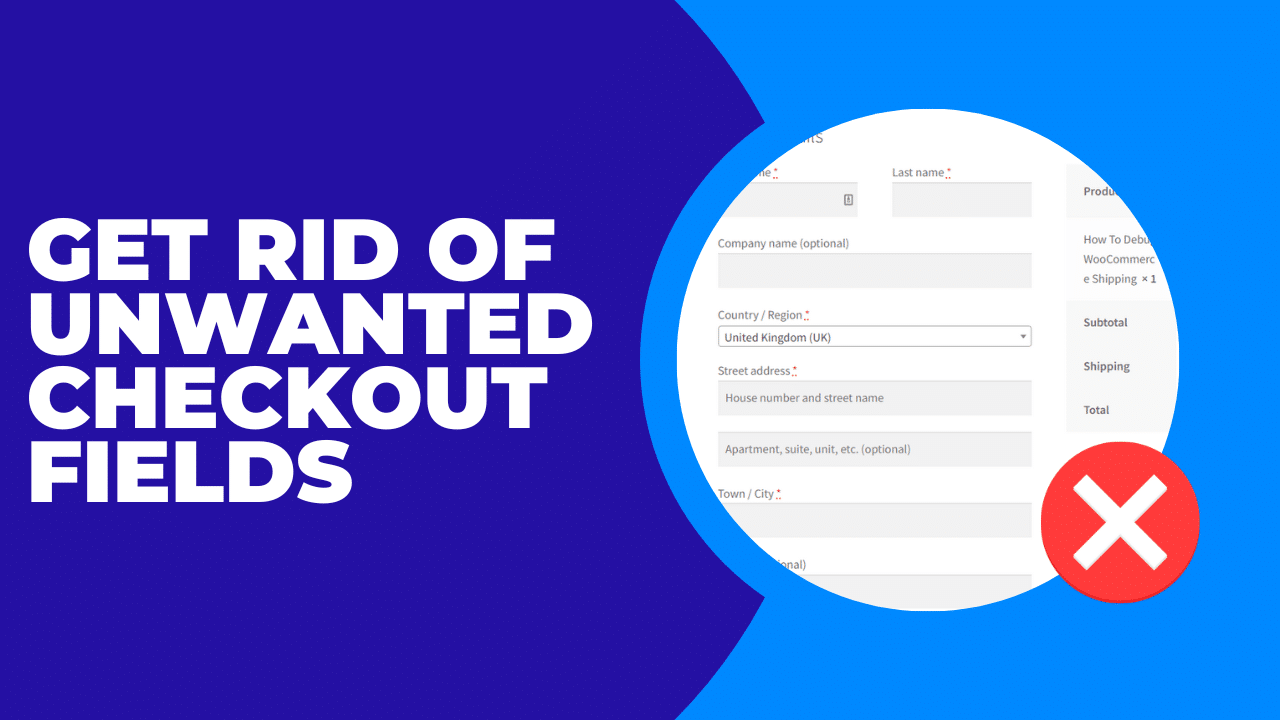
    Get Rid Of Unwanted Checkout Fields

    How to remove WooCommerce checkout fields.

    In this video I will show WooCommerce store owners how to remove checkout fields with a plugins, this requires no coding and is ideal for the non-technical store owner.

    The plugin we used today can be downloaded from https://wordpress.org/plugins/woo-checkout-field-editor-pro/

    If you need help with your WooCommerce store head on over and get a no obligation quote.

  • Post With a Preview

    Post With a Preview

    Nullam dictum felis eu pede mollis pretium. Integer tincidunt. Cras dapibus. Vivamus elementum semper nisi. Aenean vulputate eleifend tellus. Aenean leo ligula, porttitor eu, consequat vitae, eleifend ac, enim. Aliquam lorem ante, dapibus in, viverra quis, feugiat a, tellus.

    Interdum et malesuada fames ac ante ipsum primis in faucibus. Duis convallis, neque ac tempor finibus, diam velit gravida eros, in laoreet nibh purus vel ex. Sed fermentum et tortor et fringilla. Integer hendrerit, enim vel tempus dapibus, mi risus dictum massa, non semper mauris lectus sit amet magna. Mauris tristique vestibulum tellus nec posuere. Cum sociis natoque penatibus et magnis dis parturient montes, nascetur ridiculus mus. In et efficitur nisl.

    Quisque condimentum, nibh a rutrum auctor, eros ligula viverra nibh, sed mollis ante nisi quis lacus. In convallis velit sapien, at laoreet nulla posuere in. Vivamus velit nisl, efficitur ut luctus in, pharetra eu neque. Phasellus bibendum orci non eros interdum, eget vestibulum massa accumsan. Curabitur a molestie libero, quis egestas augue.

  • WordPress Tutorial German with Impreza

    WordPress Tutorial German with Impreza

    Morbi sagittis, sem quis lacinia faucibus, orci ipsum gravida tortor, vel interdum mi sapien ut justo. Nulla varius consequat magna, id molestie ipsum volutpat quis. Suspendisse consectetur fringilla suctus. Pellentesque ipsum erat, facilisis ut venenatis eu, sodales.

    Lorem ipsum dolor sit amet, consectetur adipiscing elit. Morbi sagittis, sem quis lacinia faucibus, orci ipsum gravida tortor, vel interdum mi sapien ut justo. Nulla varius consequat magna, id molestie ipsum volutpat quis. Suspendisse consectetur fringilla suctus. Pellentesque ipsum erat, facilisis ut venenatis eu, sodales vel dolor.

  • How To Edit Woocommerce Emails

    How To Edit Woocommerce Emails

    In this tutorial I will show you how to edit the look and feel of the emails WooCommerce sends out during the sales process.

    Here are links to the plugins I used in this tutorial.

    YayMail – WooCommerce Email Customizer


    Preview E-mails for WooCommerce

    Wrap Up – How To Edit Woocommerce Emails

    If you need help with your WooCommerce store please get in touch.

    Photo by Davide Baraldi on Unsplash

  • Best Practices For Single Product WooCommerce Sites

    Best Practices For Single Product WooCommerce Sites

    Lets talk best practices for single product WooCommerce sites. If you sell a single product from your WooCommerce store, there are a couple of best practices you should investigate. WooCommerce does a great job selling multiple products, but falls down in a little for those single product shops out there.

    In this tutorial I’ll take you through a couple of changes to boost your sales when selling one product.

    Code Snippet

    Here’s the code snippet I used in the tutorial and here’s a link to my Tut’ on using the code snippets plugin.

    add_filter( 'woocommerce_add_to_cart_redirect', 'nm_redirect_checkout_add_cart' );

    function nm_redirect_checkout_add_cart() {
    return wc_get_checkout_url();
    }

    simply copy and paste this into your code snippet plugin and activate it to send your traffic directly to your checkout bypassing the cart page.

    Wrap Up – Best Practices For Single Product WooCommerce Sites

    Out of the box, WooCommerce has a couple of flaws for single product sites, but with a bit of tweaking, we can improve that substantially.

    If you would like a coupon to try out one of my pre-recorded WooCommerce optimization coaching sessions, jump over to my coupon page. This page also shows the pre-recorded sessions you can redeem the coupon against for free.

    Photo by Markus Spiske on Unsplash

  • Understanding WooCommerce Order Status

    Understanding WooCommerce Order Status

    Understanding WooCommerce order status allows you to see where an order is in your sales and fulfilment cycle.

    In this tutorial I will take you through WooCommerce order status, what they mean, when stock is decremented and when payments are taken.

    Hat tip to the image on this page  https://woocommerce.com/document/managing-orders/

    Wrap Up – Understanding WooCommerce Order Status

    If you need coaching to  build your WooCommerce store please check out my coaching page.

    Photo by Tsvetoslav Hristov on Unsplash

  • How To Debug WooCommerce Shipping

    How To Debug WooCommerce Shipping

    In this video tutorial I want to show you how to debug WooCommerce shipping.  I’ll take you through the process of activating and debugging WooCommerce shipping.

    This can be a tricky issue to solve if you have no visibility of which shipping rule is being invoked. This technique will solve that.

    Here’s the problem this tutorial will solve, you have setup multiple shipping options at different rates, and you are getting customer orders with the wrong shipping rates attached, you need to understand why some people are paying the wrong amount.

    Wrap Up – How To Debug WooCommerce Shipping

    So that is how to debug WooCommerce shipping, if you need help with your WooCommerce store, please get in touch.

    Photo by Timelab Pro on Unsplash

  • Understanding WooCommerce Upsells and Cross Sells

    Understanding WooCommerce Upsells and Cross Sells

    In this video tutorial I will help you to understand WooCommerce upsells and cross sells and the difference between those and featured products on your WooCommerce.

    Using up and cross sells will help you to increase your average cart value and increase your bottom line.

    Video

    Grab Your Coupon

    You can get your coupon for free access to one of my self paced workshops here.

    Need Help With Your WooCommerce store?

    I’m here to help you build your best WooCommerce store, I offer WooCommerce development services, WooCommerce maintenance plans and WooCommerce coaching.  Please get in touch.

    Wrap UP – WooCommerce upsells and cross sell

    If you have any questions about WooCommerce upsells and cross sells please get in touch.

    Photo by Pickawood on Unsplash

  • Add These Pages To Reduce Customer Support Requests

    Add These Pages To Reduce Customer Support Requests

    in this video I’ll show you a number of information pages and techniques you can use to reduce the number of customer requests you get.

    When your custom can self serve, their answers they are more likely to buy from you, the same goes if they have after sales queries, they are less likely to return and more likely to buy again or recommend your products.

    Less customer support requests also mean you can serve your backlog of customer support requests more rapidly and provider a better all round support experience.

    Photo by Annie Spratt on Unsplash
  • Add These Pages To Reduce Customer Support Requests

    Add These Pages To Reduce Customer Support Requests

    in this video I’ll show you a number of information pages and techniques you can use to reduce the number of customer requests you get.

    When your custom can self serve, their answers they are more likely to buy from you, the same goes if they have after sales queries, they are less likely to return and more likely to buy again or recommend your products.

    Less customer support requests also mean you can serve your backlog of customer support requests more rapidly and provider a better all round support experience.

    Photo by Annie Spratt on Unsplash