Neil Matthews

Author: Neil Matthews

  • Plugin Review: In Post Ads

    Plugin Review: In Post Ads

    I’m running  another of my experiments to lure site visitors into my sales funnel.  I though I would share the details with you.

    I’m using a premium plugin called In Post Ads to position references to my WordPress technical support links automatically into every post I write.

    In Post Ads places an ad automatically inside of your posts.

    I have it setup to display an ad every four paragraphs, so hopefully it’s going to drop in right below this line.

     How It Works

    You setup a custom post type of an in post ad, you can have one or many, and make them dispaly randomly throughout your posts.

    You can rotate multiple ads to see which one works the best.

    You can also limit ads to only display in certain categories of posts.

    There are various themes you can use on your ads to change the look and feel.

    Lastly you can disable in post ads on a per post basis.  I found this very useful on certain video posts I have in place.

    How I Use It

    I’ve got an in post ad every four paragraphs in a contrasting colour and outline to highlight my services page.

    Other Uses

    You could of course use it to link offsite to affiliate ads, to your products or even as an email sign-up form, I think that would be very effective if you set it a long way down the post.

    Premium Plugin

    This is a premium plugin from the wpmudev people and it costs $19 for a single purchase, or you can take out their membership and get this (and all their other plugins) for a recurring fee of $79.  I went for the one off purchase.

    Testing Performance With Google

    I’m testing the performance of individual ads with Google  Analytics and their events system, I wrote a post all about this here Monitoring Banner Ad Performance.

    I’m creating new ads and testing various aspects of the plugin, but I’m finding that a subtle contrast makes for better results.

    I’m seeing a steady stream of click through from the ads,  and from my limited analytics, it is performing much better than my sidebar ads.

    What Do You Think?

    Do you find this type of in post ad annoying, or is it just another ad you will grow blind to in due course.

    The internet marketing community is rushing ahead of itself to find the next new device to snag attention, popups, gateways, the list goes on.  Do we need to slow down and start building in a methodical manner rather than grabbing at the latest new trick?  Let me know in the comments.

    Check it out In Post Ads

    Image by erratic0101


  • A Digital Investment For Your Kids

    A Digital Investment For Your Kids

    Many people are more than happy to squirrel away tens of thousands in investments for their kids education, but are you also thinking about digital investments for their futures?

    I own jenny-matthews.com (live) and faye-matthews.com (currently parked).   I bought and host these domains for my daughters as a digital investment for their future.

    In this post I want to talk about my thinking behind this investment.

    Why I Think Personal Domains Will Be Important

    The ability to own you own digital identity and use it to further your personal goals will be huge in the future.  I call it a digital persona.

    If you can build a platform to support your work and life goals that you control and that can move with you through life regardless of which company you work for, or if you are self employed will be huge in the future.

    You can use it as a digital resume to build authority and show you have expert knowledge in a field.  This in turn can help you to get postions or clients.

    I think more and more people will move away from the broken corporate model and work for themselves.  If you can use this platform to sell you wares you are ahead of the comptetion.

    If you can do all this and associate yourself and your personal brand through yourname.com you will be seen as a thought leader.

    An Example In Personal Authority Building

    Say my daughters love fashion design and they go to university to study in that arena.

    At the same time they are running a personal site where they discuss current trends  upload videos or images of their work in progress and generally build a multi media profile showing that they understand the fashion business.

    When t0 comes time to look for work, their personal site jenny-matthews.com or faye-matthews.com is indelibly linked to fashion.  They show their love for the work, their knowledge and their competence.

    But They Are On Facebook/YouTube/New Site Yadda Yadda

    I rant till I’m blue in the face about people claiming they are on-line because they have a Facebook page or twitter profile.  Here it comes in bold capitals.

    <rant>YOU DON’T OWN ANY OF THE CONTENT, PAGES, PROPERTIES,. USERS OR ANY DIGITAL ASSET ON SOCIAL MEDIA SITES </rant>

    You need to have a home base and outpost mindset,. Create your digital home base on joe-bloggs.com and then distribute your work on outpost sites such as Facebook, twitter et al.  Own you homebase and make forays into other peoples sites in an effort to attract them back to your homebase.

    Imagine you are using Facebook to build an online persona, and bam! They disable your account for some spurious reason, all your hard work is gone, you have no recourse, they own the game and can kick you off at will.

    Domain Scarcity

    As I’m sure you know domains are scarce, if you can get a high quality domain for your children they will thank you (perhaps 🙂 )

    Registering and keeping hold of your children’s name on a dot com is a great investment.  I’m offered versions of my name.com on a regular basis and people are asking thousands of dollars, get it now for ten dollars.

    The scarcity is only going to get worse do you really want your kids to be using [email protected].

    Good domain names are a luxury item not a commodity.

    Educational Aspect

    I think it’s great to teach your kids about the technical side of the internet.  My kids have taken to online life with ease.  They browse the net, use my iPhone and are pretty savvy tech users.

    They can use the internet but have no concept of the underlying technologies.  I hope building their own sites will give them an understanding of these technologies.

    I’m 100% sure that sites such as Facebook will obfuscate all technology from people in the future, making them tech illiterate and at the mercy of internet giants instead of having the skills to make their own little online paradise. They will be stuck in the online eqivalent of the projects with no way out.

    I’m slowly but surely showing them things like linking to other sites, uploading YouTube videos and embedding them and swapping out themes.  I’m not the pushy parent type but if they show interest in something I will show them how to do it.

    Remember the Geeks shall inherit the earth and the Jocks will be hacked into silence.

    Online Security

    My daughters are young, so I want to protect them from the darker side of the internet, so I have put a number of security controls.

    disabled comments – there are no comments on Jenny’s site, I have used this plugin to disable them site wide http://wordpress.org/extend/plugins/disable-comments/

    All emails come to me – all domain emails are setup to redirect to me so I can monitor all activity.

    No contact forms or other inbound communication – this is very much a push website for Jenny, there is no two way traffic until she is a little older and understands trolling, grooming and other insidious acts that go in in the dark corners of the net.

    I review the content – I make sure she is not sending out personal information to the www.

    I’m pretty low key about all this, I have put theses controls in place, but I let my daughter do what she likes on her site.  I’ll talk about the darker side when she is older, but for now exposure to cialis comment spam, trolls and other nastys is something she can do without while writing cute stories about Hansel and Gretel.

    Future Google Juice

    The online land grab will continue for years to come, there will be more sites, more people and more noise. It will be increasingly difficult to sort the wheat from the online chaff. This is the real reason I’ve made the digital investment for my kids.

    If they can start to build a site, gather some low key links and make inroads now,  into the beast that is Google, when they really need it in the future it will be a platform for their life’s work.

    Some of things that are thought to help SEO are:

    • Age of domain – their domains will be 10+ years old by the time they are in their late teens
    • Amount of content & regularity of updates – if they slowly build up a series of posts this will contribute to their archive
    • Links – a link is a link, even if it’s their school chums linking to party photos or story this helps to build momentum
    • Social links – this will become huge in the future, if someone is liking a post on social this will become part of the algorithm and this is something kids will do naturally.

    Neil-Matthew.com & Daughters

    I have a little dream of my own, and that is for one day to take down the digital shingle at neil-matthews.com and upload a new banner neil-matthews.com & Daughters.

    If we can bring together three digital properries in one e-family business that will make me a happy man.  Cross promotion and building onlne businesses as a familyrather than having them start from a blank canvas.

    This is probably content for a future post, but it is something I am thinking about.  Why make your kids struggle in the corporate world when they can become online entrpreneurs.   If you can give them a leg up by giving them access to your digital audience I think that is eNepotism in the best fashion.

    This is all new territory, there has always been a route to bring kids into bricks and mortar businesses, but how do you bring them into an online business.  Time will tell.

    Wrap Up

    WordPress may not be around when my kids eventually start ploughing their digital furrow, but I’m pretty sure some other product will be that does a similar things.  Digital ownership of their name where they can show authority will be a huge thing in the future employment marketplace, be it self employed or as a candidate at corporations.

    Are you planning for your kids digital future?

    Image by r80

  • How I Blog For My Business

    How I Blog For My Business

    I’m not a problogger by any stretch of the imagination, I blog to support the WordPress Technical Support business I run here at WPDude.

    After four years of blogging I’ve been able to switch off all paid advertising and support a team of two (soon to be three techies) in more work than they can handle, all because of blogging.  This post talks about how I’ve done this.

    It’s Sure As Hell Not Get Rich Quick

    Flip back to the previous paragraph.  Four years of blogging to get where I am.

    If you think blogging is going to generate a ton of leads overnight, I’m sorry to upset you, blogging is a slow but sure marketing method. Once you get traction, and the search engines have a body of work for you, it’s a very low impact, always on and free form of marketing.

    Blogging is passive (except the actual writing part) so I can market to people without actively being engaged, I can prove the expertise of me and my teams in WordPress through my posts and hopefully be in that persons mind when they need to engage a team to help with their site.

    You need to be into blogging for the long haul, if you are still with me then please read on.

    Blogging And SEO

    As I write this I have 299 posts published on WPDude, that’s 299 chances to lure people into my site with a bite sized piece of my knowledge and a chance for me to expose them to my sales page.

    I’ve written about a broad spectrum of WordPress topics so I can bring people into my sphere of influence and hopefully help them with my free content, and if they need it, help them on a paid basis too.

    The large number of posts match to a large number of search queries and a wider range of people’s WordPress problems.

    I have a couple of posts that bring me a lot of traffic, but I also have many many posts that bring a small trickle of traffic.  I’m pretty sure that the large body of work I have has contributed to my sucess with the search engines.

    As I have blogged for such a long time, I’ve established authority with Google (I think – who really knows what they think) and it looks like I get good rankings for most things WordPress I talk about.

    I’m not going in depth about seo in this post other than to say I use WordPress SEO by Yoast.  I write for people first then tweak slightly for search engine happiness.  Which leads me nicely to …

    Who I Write For

    Whenever I write a new blog posts I’m always thinking “Will this benefit the type of people who buy my services?”.  So for this posts for example I’m thinking, my clients have blogs, but they also have businesses, so they are using blogging as a lead generation strategy, bingo a match I can provide you free useful information and keep my name at the front of your mind.

    I made the mistake in the early stages of this site of writing technical articles about WordPress, I was getting great traction with the WordPress development community, but they are not the type of people who want to do business with me, they can fix their own sites.

    If you have one take away from this post, always think about your client when you post a blog.

    What I Write

    I write about things that will keep my clients informed about WordPress, show them what can be done with their sites and keep them abreast of the latest developments.

    I always write from experience.  This is important, everything I write about I’ve used or done for real in my business of for my clients.  There is not theory, it’s all experienced based.

    I like to write plugin reviews of new and interesting plugins I find that may be useful to my audience.

    I also write articles on fixing the types of problems I see in the field, I call these case studies and they are great. They showcase my expertise while informing the reader, an under the radar marketing technique.

    I write how to articles which will step you through fixing a problem.  These are good for showing your expertise and also showing your reader what can be done on their site.  If it is slightly technical it also shows your reader their knowledge gap, a gap they might like to plugin with expertise for hire,

    I write direct sales articles when I’ve got a course or a special offer on.  This is where investing in you blog pays off, you have an audience willing to read your stuff, then when you have a sales or offer to give, your people will be engaged.  For example every year I run a holiday sale.  I’m based in the UK and we don’t celebrate Thanksgiving so I run a sale to plug that gap when I usually don’t get any work.

    I also go off topic sometimes and write about online business, something I’m passionate about.

    Blogging And Email Marketing

    My blog feeds my email list too.  It makes being on my list a worthwhile thing.  I send out free updates to inform and educate then once in a while I send out a marketing offer.

    Another thing with email and blogging is that it keeps your name and business in the fore front of peoples minds, Whenever I send out an email broadcast about a new posts I usually get a reply asking for a quote or two to fix a problem on someone’s site.

    Guest Posting

    I blog not only on my own site,  but I guest posts on other people sites too in an effort to increase my profile.  If you guest posts for someone with a bigger audience it’s a great way to expand your reach.  Busy bloggers or business owners are always happy to accept a high quality guest post.

    This is something I’ve picked up again with a passion, tapping into someone else’s already established audience is a great way to boost your own profile.

    I also accept guest posts here if you are interested.

    Exposing Your Sales Funnel Through Blogging

    This is where I’m spending a lot of my time at the moment, I’m analysing my traffic and finding ways to introduce people new to my blog to my sales page (It’s up at the top right in big red letters Hire Me, just in case you were wondering.)

    It’s no good having a ton of traffic if people are completely missing the fact this is a business blog not a hobby blog or a pro-blog looking for advertising clicks.

    Here are some of the techniques I use.

    • Constant reference, in a subtle way to my service.  I’ve done this in the first paragraph.
    • Differentiated menu items.
    • In posts ads.  I’m testing a plugin at the minute that inserts ads after x paragraphs.
    • Banner ad at the bottom of my posts.
    • Sidebar banner ads.
    • Reference to my services in the email update I send out about posts.  I have image banners.
    • RSS footer links to my sales page.
    • Hello bar, popups and welcome gates oh my (these may or may not be active when you visit due to split testing)
    The idea is to provide people free content but also alert them to the fact they can hire me and my team.  Don’t be shy, this is a business.  It makes me shake my head when I see business blogs with nothing but a lonely services link at the top of their page.

    Frequency Of Blogging

    I post once per week, and a little more if I’ve got some sort of launch on.  That’s all I need.  I’m not running a magazine style site where I need constant eyes on my sites for advertisers, I need a constant trickle of people into my sales funnel to keep me and my team busy.

    I like to write longish posts so it takes me a couple of hours to write up, check and send out an email alert about a new posts.  Not a bad time to results ratio in my opinion.

    Blogging Mistakes

    I made a couple of blogging mistakes in my early days, here are a few:

    RSS over Email – I just presumed that because I like RSS over email that everyone else will too, and I put off starting an email list for about 18 months (fool of a wpdude).  Get your email list up and running now.

    Losing momentum – as the work starts to come, blogging gets dropped off, I had too much work for clients and my blogging efforts dropped off, big mistake. When the projects are done I had to turn back to paid advertising rather than have a steady stream of leads ready to turn into projects.

    Blog on home page – I know I’m still making this mistake but your home page should advertise your business not your blog.  I’m working on this at the minute.

    Giving a damn about non-clients trolls – I used to get caught up in criticism about my blog posts from people who would never buy my services (other techies for example) or from out and out trolls.  You need to spend your time on clients, not these type of people. Actively direct them away from your blog, these are not paying your way they are wasting your time.

    I would love to hear you blogging mistakes in the comments.

    Wrap Up

    All of my business comes from new clients finding me via my blog or from referrals from people who have used my services,  this is a great place to be in.  It takes a long time and perseverance, but it’s well worth the blogging journey.

    Can I leave you with a tongue in cheek quote

    Advertising is Like Sex: Only Losers Pay for it. – Chris Guillibeau $100 Startup


    Image by 66356408@N07

  • Consulting

    Want to hire my brain for a short while

    My packages are coming soon

  • Case Study: How To Troubleshoot WordPress Crashes

    Case Study: How To Troubleshoot WordPress Crashes

    Me and my team get called in a lot to troubleshoot WordPress sites that have crashed .  Here are my four top ways to help diagnose and fix WordPress sites that have crashed.

    White Screen Of Death

    When I talk about a crashed WordPress site, I usually mean the dreaded white screen of death.  You make a change or install a new plugin then all of a sudden your site does not work any more.

    All you can see is a white screen, what is more you cannot login to undo your changes because wp-admin also give you the same white screen.

    Troubleshoot WordPress

    This is the methodology I use to troubleshoot WordPress, I have a video tutorial at the bottom of this post if you would prefer to see the process in action.

    Disable Plugins

    Nine times out of ten crashes are caused by problem plugins.  You need to disable all your plugins and find which one is causing you problems.

    WAIT: I cannot login, how do I disable plugins?

    You need to access the file system of your site.  Login to the control panel of your hosting company and find the files manager.  In my experience all hosting companies supply a file manager of some sort.

    Navigate to wp-content and then rename plugins directory to plugins_temp.  This will fool WordPress into thinking that there are no plugins installed.

    If it is a plugins problem, you site will jump back into life and you will be able to login.  Go to the plugins section, and all of your active plugins will be marked as inactive.

    Go back into the file manager and rename plugins_temp to plugins then enable your plugins one at a time testing as you go to see which once caused the crash, then remove it.

    Activate Default Theme

    Sometimes crashes are caused by issues in your theme, my next step when troubleshooting is to activate a default theme.

    In much the same way as we disable plugins, we can disable themes.  Go to the theme folder wp-content/themes then rename the active theme directory.  Hopefully this will allow you to login now.

    Go to your appearance -> theme section and activate one of the default themes such as twenty eleven.  If you site comes back online, you have an issue with your theme.

    Re-Install WordPress

    Manually re-installing a clean copy of WordPress is often a good way of fixing corrupt core files.

    To do this, first obtain a clean copy of WordPress from the download section of WordPress.org and copy it to you local machine.  Unpack the zip file and the attach to your site using FTP.

    Upload the clean copy of WordPress ,overwriting your existing files.

    Please be careful not to overwrite wp-content this contains your theme, plugins and any uploads you may have.  If in doubt call in a professional to do this for you.

    Enable Debugging

    The fourth item I recommend to people is to enable debugging and see if WordPress is trying to tell you what ails it.  Enabling debugging will allow WordPress to show any errors or messages that are being generated.

    To enable debugging go to your file manager and edit wp-config.php, add add this command and save. This will enable debugging and verbose messages and errors will be displayed.

    define('WP_DEBUG', true);
    To disable debugging switch to false or remove this line.

    An example when debugging helped me; one of my clients had run out of memory and was not seeing any errors.  I enabled debugging, increased available memory via php.ini and the site came back online

     Video Tutorial

    Here is a tutorial I recorded some time ago to take you through how to troubleshoot WordPress sites  in more depth

    [leadplayer_vid id=”50753A7F726BC”]

    Image by soundiron


  • Plugin Review: Premise Membership Sites

    Plugin Review: Premise Membership Sites

    You are all probably aware of the premium plugin Premise and it’s landing page functionality, but did you know if also has membership site abilities too?

    I used the membership site functionality on my latest WordPress Performance Tuning Course and found it really effective.

    If you are looking to sell your content, then Premise is well worth a look.

    An Overview Of Premise

    In it’s first incarnation, Premise was a premium plugin designed to build landing page.  It was designed to build and test sales pages, video landing pages etc.

    They have extended the plugin and added membership site features so you can build landing pages then deliver your information products all in one neat little suite.

    The team behind Premise are the Copyblogger people, they also build Scribe the SEO plugin and various information products such as Teaching Sells.

     What It Costs

    As mentioned Premise is a premium plugin it costs $165, which is more expensive than it’s competitors, but that is a one off price for unlimited sites and matches it’s competitors multi site license costs.

    It’s more than just a membership site plugin as it has the landing page stuff, but a lower priced single site option would be  a good idea.

    It has a 30 day money back guarantee.  I did a test drive of the original Premise and did not like it and found getting my money back very simple.

    Installation

    Installation is fairly simple, you install the plugin, add your license key and then there is a little bit of configuration.

    You need to create and configure three pages, checkout, login and members page which involves creating pages and adding short codes.  The documentation is good, but hidden away.  You have been warned.

    A word to the Premise team – a setup wizard for none-techies may be a good idea to get people up and running quickly.

    Shopping Cart Integration

    Premise integrates with Paypal and Authorize.net.  Not as many as the competition,  I always use Paypal so that is not an issue for me, but 1shopping cart people may be put off.

    Paypal uses IPN for recurring payments, a much better method than Wishlist member uses and a great way to ensure your recurring payments are processed correctly, and for closing down access if people cancel or payments fail.

    Problem with payments when using Wishlist member was my main reason for trying Premise, I’m happy to say I had none during my course launch.

    Mailing List Integration

    Premise integrates with Aweber, Mailchimp and Constant Contact.

    I was very very impressed with the Mailchimp integration.  It uses something called single optin so I can be sure that once someone has joined my membership site they are also added to the mailing list for the course.

    Imagine the scene,  you’ve just joined my membership site, Paypal has sent you an email, my website has sent you and email and my mailing list has also sent you a double optin request.  Too many emails,  and in my experience, 50%-60% do not complete the double optin process and are not added to your membership site email list.  A list you may use to tell your members when new content is ready etc.

    With Wishlist Member I found I had to manually export users and import them into Mailchimp to ensure they were in my list.

    Content Protection

    Nothing earth shattering in this section,  it works very much like any other membership site.

    You setup a membership access level which integrates with what Premise calls a product.  A product is the sale price which integrates to your shopping cart.

    On your sales page you create a link to a product which upon payment integrates with an access level.  Sounds complex but it’s not.

    On posts and  pages there is a check box to protect that content for members of a particular access level – pretty standard fare if you have used a membership site plugin before.

    There are short codes to partially protect content on a page, for example you can setup a piece of teaser copy and only protect a download or video.

    Talking about downloads, you can setup links to pdfs or other downloadable goodies which are protected for logged in users.  So Premise is a great way to sell you ebooks or video downloads.

    You can drip feed new content to your people over days or weeks to stop  information overload and extend the lifetime of your membership content.

    All of this is implemented in a very slick way and I found it very simple to protect my content.

    Forum Integration

    A featured I’m not using is members integration with the forum software Vbulletin.  This is a premium forum product that I don’t use.

    I would like to see the team extend this and add other forum systems.  A protected members only forum is a great way to add value to your membership sites.

    Personally I use the simple-press plugin and protect the pages it is on.

    Downsides

    There are a couple of features missing in this first edition of Premise membership sites:

    • Your cannot protect categories
    • Notification of new member signups, you need to login and review an orderes report
    • On the landing page side, the need to get the new Google experiments split testing setup asap
    Not major faults but a little annoying.

    Wrap Up

    Premise is playing catch up with more established competitors like Wishlist Member but I enjoyed the plugin because of it’s solid payment collection process and ease of use for content protection makes it a winner in my opinion.

    I’ll be using Premise going forward for my courses and I’m in the process of reverse engineering my old courses to use Premise.

    You can checkout Premise at getpremise.com all links are affiliate links

     Image by tara_siuk

  • Making Your Site Mobile Ready

    Making Your Site Mobile Ready

    Overview

    In this session I will show you how to configure your WordPress site so that it displays a cut down theme

    As mobile usage grows and more and more people consume blog content on small screened devices we need to setup our sites to cater for their special browsing needs.

    Video

    [leadplayer_vid id=”506436C5D8884″]

    Downloads

    Download the presentations slides

    wp-touch

    mobilepress

    WordPress Mobile Pack

     Google Analytics

    http://www.devirtuoso.com/2010/08/20-mobile-device-emulators

    Mobile One Studio

  • How To Build A Multilanguage Site With WPML

    How To Build A Multilanguage Site With WPML

    In this video posts I will show you how to build a multi language WordPress site using WPML a premium translation plugin.

    WPML allows you to host multiple versions of your content, and provide a version of your site in a site visitors native langauge from a drop down button.

    This video post will take you through a basic site build.

    Video

    [leadplayer_vid id=”5062F57C8B8B5″]

    Links & Code

    WPML (AFF)

    Google Translate

    Widget Logic

    WPML Approved Contactor List

    ICL_LANGUAGE_CODE='en'

    Image by darkroses

  • Top Essential Website Features You Can’t Afford to Lose

    Top Essential Website Features You Can’t Afford to Lose

    This is a guest post by Claudia Somerfield

    An important aspect of website development plan is to decide which features you are going to incorporate while constructing your website. Identifying these aspects would vary from one niche area based sites to other; however, there are several common features which are a must for every website category. It can be a time taking business to plan your competent website design by keeping all the elements in a careful balanced fashion. But with some of the top essential website features as discussed under, you can arm your site to bring the best outcome for your business. The below are the top essential website features which you cannot afford to miss.

    The social sharing buttons

    The social media has a great importance in the lives of millions of users. Hence incorporating this feature in your website is imperative. It has the capacity to give your website a better social media exposure. It can help you in rendering a path for visitors to your website to share your content to your plethora of friends. The more the number of share count seen over your site, the more good impression it gives about your website content to new visitors. Lastly, it also acts like an important SEO tool which helps in boosting your rankings over search engines like Google.

    The mobile version of your site

    With the popularity of devices like smartphones where you are competent to access internet, the mobile website is gaining lots of momentum. People prefer watching different videos, accessing social media, checking emails, etc. over their smartphone devices. Hence considering this paradigm shift, developing a mobile translation of your site right from scratch along with adding several new applications would certainly going to add a new edge to your website. This aspect is among the top feature which you cannot avoid missing in your website thus giving the mobile users an enhanced level experience and eventually increasing your site hits.

    Adding up a Blog in your site

    By incorporating a blog in your website can help you in boosting the search engine rankings for your site. It also helps you in giving your site content a new edge in terms of regular updates. The search engines like Google simply loves quality and updated content over sites coming via blogs. The content plays a good role in getting links to your site thus helping it promoted in a wide web spectrum. Once you decide to incorporate this important feature to your site, you are supposed to have several things to make your blog effective. These include having a comment scheme, a proper spam protection system, RSS feed, search engine optimized URLs, social sharing buttons, etc. Without having a blog, the quality content over your sites will hardly find its ways to new visitors.

    Email subscription

    The more big email subscription list you have, the greater is the opportunity you have for your sales conversion. Every website owners aspires from the visitors to buy something which he or she is offering or at least the visitor coming at their site must fill the contact form. However, if a visitor simply walks out without giving his or her contact info then you do not get the chance to contact them. Hence it is important to incorporate this feature by explaining that you would inform the visitors with the latest offers on your products or services in the coming future. In this way, you end up getting response to your email subscription which eventually plays an important role in expediting your sales conversion.

    Wrapping up

    In order to embark with an effective website design, adding these above discussed features could be called as a must for everyone. These would help you in giving your website a better exposure to your targeted audience irrespective of your website category. Hence at any point of time you cannot afford to miss these features while designing your site.

    About The Author: Claudia is a writer. She loves writing, travelling and playing. Recently she did anarticle on website features. These days she is busy to write an article on essential website tricks.


    Image by paulk


  • [Video] Monitoring Banner Ad Performance With Google Analytics

    [Video] Monitoring Banner Ad Performance With Google Analytics

    On my site I have a number of banner ads which link to my WordPress technical support page.  I wanted to see if I could measure performance of  these banner ads.

    There are a number of plugins out there which will track clicks on ads, but I wanted to use Google analytic s which I use for all of my other monitoring needs.

    Here is a quick video posts to show you how to track clicks on your banner ads, be they internal links or off site links to affiliate or other sites.

    Video

    https://www.youtube.com/watch?v=2HlvEnC_tlI

    Links

    Google Analytics Plugin

    Google Analytics

    Code

    Here is a copy of the code I used in my sidebars

    <a href="https://dev.neilmatthews.com/wordpress-technical-support" onClick="_gaq.push(['_trackEvent', 'CTA', 'Click', 'Sidebar banner ad']);">
    <img src="https://dev.neilmatthews.com/wp-content/uploads/2011/05/WPDUDE_techsupp_250x250.png" /></a>
    
    
    Image by m4tik
  • Case Study: Increasing Email Opt-In

    Case Study: Increasing Email Opt-In

    I’ve been experimenting with various ways to increase email opt-ins here at wpdude.com and I thought I would share some of my findings with you.

    Why Experiment?

    People are suffering from information overload and just because you add an email opt-in to your sidebar does not mean you are going to get people to join your list, you need to stand out.

    New techniques are becoming available to get your opt-in message in front of people in a more effective manner.  If you have a valuable “thing” to swap in exchange for an email address be it an ebook, video or other valuable resource, you are going to be able to increase opt-ins and get your marketing message out.

    Level playing field

    I created a level playing field on my site, I’ve gone pretty minimal and removed all sidebars and opt-in forms to give my experiments the best chance of success. All opt-ins will come from the specific experiment. not my standard sidebar

    I ran one test at a time in isolation to make sure I was testing just that technique. I  also created separate email lists per experiment so I could measure effectiveness.

    I also ran each experiment for only one week to judge effectiveness and to give myself objective results.  The email ,list with the most sign ups after one week equals the most effective technique.

    Here are the various methods I tested:

    Home Page Gateways

    If you have not heard of a home page gateway, can I direct you to mixergy.com, I’ll wait here while you check out their home page gateway.

    I setup a home page gateway on my own site using the plugin Welcome Gate, I’m sending you over to a marketers site, but he is one of the good guys so don’t worry.

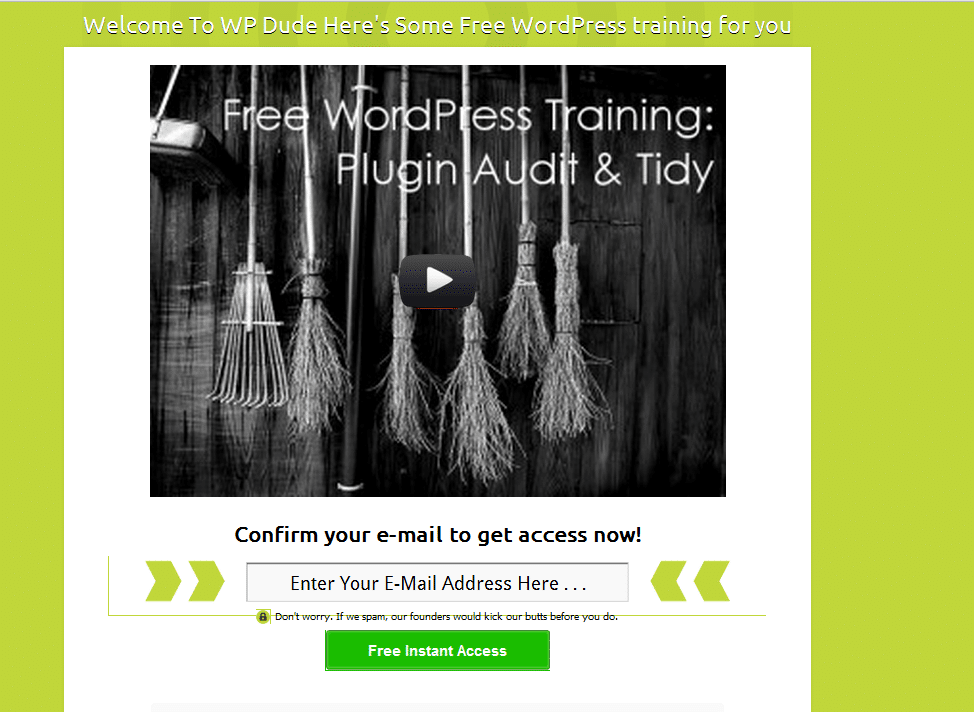
    Here is a screen grab of the welcome gate I setup.

    Click For Full Size Image


    You can use text or videos in your welcome gate (see video opt in plugins below).  It works by storing a cookie on your browser, if the cookie is not present you are prompted to opt in before you are shown the home page.

    You can add various options including a “skip this” step so people do not have to opt in.

    My results were mixed, I got some opt ins, but it was not my most effective test, added to this I don’t like this technique so I’m loathe to put my site visitors through this experience.  I would love to hear comments below from people using the technique who have had great results.

    Popup Plugins

    I first started using popups about 18 months ago with great results.  I setup a free video download popup in exchange for an email address.

    I was using the Popup Domaination plugin, software I no longer recommend so no link.  They are an internet marketing company not a software development company.  Their plugin broke after a WordPress update, their reply, update to the latest version (at a cost) to get the plugin to work – shocking support

    I moved over to Pippity ( so incensed was I that they would not support their software).  I’m glad I did, it is an excellent popup plugin.  It has split testing and great metrics to judge how effective your popups are.

    If you have a high value freebie such as an e-book or video download to offer popups are a great tool.

    My results are more to do with my technical audience not being too happy with popups (I think) and I was seeing 3-4% opt in on my popups, okay but not great.

    Site Top Drop Down

    You’ve probably seen these before, a drop down banner at the top of the screen appears after a few seconds and grabs your attention.

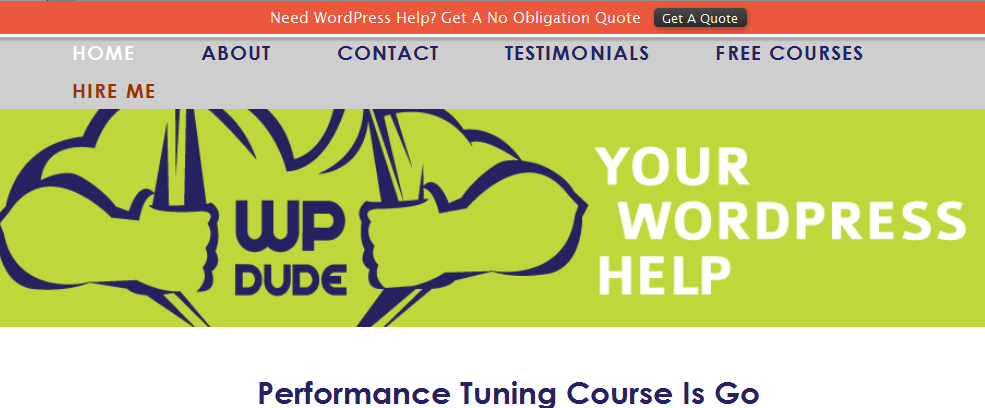
    Here is a screen grab of a test I was using to send people to my WordPress technical support page

    Click for full sized image

    I’ve used  Hello Bar in conjunction with this plugin http://wordpress.org/extend/plugins/hellobar/

    Hello bar is free for a small number of impressions, you then need to move over to the premium version.   The free impression level is not enough to give this system a test you only get 100 clicks.

    Hello bar works by taking people through to a sub page with an offer or opt in. box  I was seeing 0.33% click through, very very poor, hello bar does not work for my audience.

    Video Opt In

    This is a new one for me, if you go to this post, you can see the video optin in action. What Is WordPress Multisite

    I’m using a brilliant (but premium plugin) called Lead Player.  This is made by the same people who created the Welcome Gate plugin above.

    It allows you to provide people with great free content but insert an optin for them to get the video goodies.  I have a lot of video tutorials and some high traffic pages that match that content.  I’ve put these video there and I’m seeing great results.

    Using Leadplayer I can set the opt in to appear at the start, after a set amount of time or at the end of the video

    It also has a call to action function to send people to a specific page too.  I’m using the call to action to send people to my services page.

    It integrates with all the main email providers and Google analytics, so I can see exactly how effective the plugin is.

    The results have blown me away.  I’m seeing 20% opt in rate.  This is the current leader of my tests.

    By adding real value through videos people are happy to opt in.

    Free membership Site

    This is my current experiment.  I have a large number of video tutorials. I’ve put them in a membership site that is free to join.

    Using the new membership site features of Premise I’ve built out a members only section of my site.  Premise integrated with my email provider so all people who sign up are added automatically to my list.

    Go to https://dev.neilmatthews.com/members

    I’ll write up a review of Premise soon, but in brief I’m liking the new membership site features.

    I’m still mid experiment, but the massive value provided along with the free sign-up nature is working well.  but my gut feeling is that video opt-in in combination with a membership site may be the way forward

    Wrap Up

    All of these techniques have improved signup rates, but the final two are showing great results for me.  Be warned email op in techiques will always drop once people get tired of them

    If you would like to see a live demo on how to setup these  various options, I’m more than happy to run a webinar, let me know in the comments if that is of interest.

    Image by aisforangie

  • Performance Tuning Course Is Go

    Performance Tuning Course Is Go

    I wrote a post  last week asking if people are interested in a WordPress performance tuning course, to learn how to speed up a slow  loading site.  It looks like that course has been given the green light.

    I’m planning to teach people the process I use to speed up slow sites.  Go and check out the post now if you missed it I’ll wait here for you WordPress Performance Tuning Course

    I had a lot of response to the post and the email I sent out, so the course has been given the green light.

    Format Survey

    Before I start work on the content and inviting people to join me, I want to know what you think the best format for a course is.

    I can offer the course in the following formats:

    • Live webinar
    • Self paced video tutorials
    • Self paced video plus Q & A webinar
    • Self paced video plus members only forum for questions
    • E-Book
    • Audio program
    A note on webinars, timezone differences sometime cause issues with people wanting to join a live event, I’m based in the UK and I do webinars between 7pm-8pm which is the following times in other areas
    • Pacific Timezone USA – 11am – 12pm
    • Eastern Timezone USA – 2pm-3pm
    • Sydney Australia – 5am-6am
    If you cannot attend for work reasons, or that it is stupid-o-clock where you live go for one of the self paced options.

    Free Seat On Course

    I’m running a competition alongside my survey and the winner will get a free seat on the new course.  I’m asking you to simply answer the following question:

    Explain why this training will help you

    I’ll review the replies and the best answer will get a free seat on the course.

    Take The Survey & Enter The Competition


    [gravityform id=”84″ name=”Performance Tuning Course” title=”false” description=”false”]

    Image by a_of_doom