Neil Matthews

Author: Neil Matthews

  • How To Speed Up Font Loading

    How To Speed Up Font Loading

    In this video post I want to show you how to optimize your fonts and load them locally. In this tutorial we will show you  how to speed up font loading.

    The problem is that google fonts are loaded from remote servers for each page load, they are not cached or set with headers, if we load them locally we can speed up page load.

    Video Tutorial

    Plugin Used

    We use the following plugin in this video:

    https://wordpress.org/plugins/host-webfonts-local/

    Wrap Up

    This does not work with every theme so please test thoroughly after installing this plugin

    If you need help speeding up your WordPress site check out our services.

    Photo Credit: Andrei! Flickr via Compfight cc

  • Communication Tubes,  Get Rid Of Them – Remote Work Tips

    Communication Tubes, Get Rid Of Them – Remote Work Tips

    communication tubes

    In this remote work tip video I want to talk about communication tubes, what they are and why they are toxic for remote team communications.

    In the video I talk about Basecamp, my preferred project management tool, you can get a free account for up to three projects at basecamp.com, no affiliate links just a great tool I use all the time.

    If you need help setting up remote work arrangements for your team get in touch.

    Photo Credit: Matt From London Flickr via Compfight cc

  • Be The Best Remote Worker You Can Be

    Be The Best Remote Worker You Can Be

    I’m thinking about starting a new remote work training community, it’s going to be called “Be The Best Remote Worker You Can Be”.

    I think remote work will be the norm for some time to come due to the current erm “situation” and having the best skills to do that work will make you stand out.

    Even when we are allowed out of lock down, people will have seen the benefits of remote work and there will not be a clamour to resume the daily commute to play office politics, remote work is here to stay in my opinion.

    That’s why I think remote work training would be useful.

    Why I’m qualified to build this community

    I’ve been working remotely full time for more than 10 years (since May 2008 to be exact).

    I’ve delivered thousands of projects to my clients, and I’ve only met one of them physically in all that time.

    I’ve built a 100% remote team to deliver service to clients so I understand the challenges of managing a remote team.

    I understand the mentality, tools and skills needed to be an effective remote worker.

    What I think this community looks like

    It’s a members only community with online training modules and a forum to ask questions.

    I’ve brainstormed some of the training modules (see below) but this will evolve over time as I see the problems people are having.

    • Building Your Workspace
    • Communication touch points (probably the most important skill to learn)
    • Managing Your Workload (covering overload and underload)
    • The self discipline of remote work
    • Tools for remote work
    • Working in a shared space (kids, spouse)
    • Remote work / life divide (not balance, divide)
    • The remote manager

    Who Is This Community For?

    It’s for people working in a digital role that can be performed remotely, online over the internet.

    It’s for people who have been told to remote work due to the pandemic.

    Interested?

    At the moment I’m judging interest in this community and I would ask you to complete this form if you are interested in learning to  “Be The Best Remote Worker You Can Be”.

    [gravityform id=”140″ title=”false” description=”false”]

    Photo Credit: trendingtopics Flickr via Compfight cc

  • What Is Browser Caching

    What Is Browser Caching

    what is browser caching


    What Is Browser Caching

    In this video post I explain what browser caching is and how it can speed up your website.

    I’ll also explain why your Web Developer is always telling you to clear your browser cache: )

    Video


    Wrap Up – What Is Browser Caching

    If you need help speeding up your WordPress site by implementing browser cache (amongst other things) get in touch and I’ll send you a quote for my fixed price package to speed up your slow loading WordPress site.

    Photo Credit: trendingtopics Flickr via Compfight cc

    Doing the seo dance – what is browser caching.

  • What Is Minify?

    What Is Minify?

    what is minify

    What Is Minify?


    In this post I want to answer a question, what is minify?

    If you have taken my free mini course How Slow Is your Site you will probably have seen that one of the results is to minify javascript and CSS.  In this post I want to explain what Minification is and why you should be doing it.

    Minify or Minification

    Minify sometimes called minification is teh process of compressing javascript or css files.


    These files are often static and once written they don’t need to be touched,

    Write a script For People To Read

    When you are developing a script of CSS style sheet you need to code it in a human readable format.  Lots of white space and  carriage returns.

    Tabs to indent things to make sense BUT all the space and carriage returns also add invisble characters to your code.  For example a carriage return adds the control+M or ^M hidden character to your file.

    This takes up space and adds time to your download.  See this diagram, the red boxes are all hidden characters that add size to your file.


    Now this makes 100% sense when developing your code it needs to be human readable, but when you package up your theme or plugin and deploy it for people to run, we don’t need that overhead.

    Deploy That Script For Computers To Run

    Computers don’t need that white space,  that’s a human weakness, and the reason the computers will rise up and become our digital overlords.

    When the scripts is ready for prime time is should be compressed and the red boxes removed.  This is what a compressed file would look like, and you can see from the graphical representation the same information is conveyed in less space.

    what is minify

    You may think a few characters is not a big deal, but multiply all the scripts and stylesheets from all the plugins and theme on your site and this can add up to a lot of hite space that needs to be downloaded for each site visitor.  It created a real load on your site.

    Not All Scripts Are Deployed Minified.

    Our problem begins.  Not all scripts and style sheets are not minified.

    Why Minify?

    We need to minify for the following reasons

    • The file is compressed
    • This reduces  size
    • The file is quicker to load

    We need to speed up our site to keep the SEO gatekeepers at Google happy and for the real people visiting our sites.  Slow sites are very annoying and will make people abandon carts of leave your site in frustration.


    How To Minify Files

    There are a couple of ways you can minify the files on your site.

    Manually

    There are a number of tools out there to compress and minify your scripts manually.  I like this one

    https://www.minifier.org/

    Copy the contents of the script or CSS in question ( again check my mini course you will be give a list of files that need to be minified). paste them into the tool and download it.

    Replace the uncompressed file with the minified file.

    This may be a bit much for normal site owners, so there is always a plugin …

    Plugins

    Of course there are plugins out there to minify your scripts.

    Add one of these to your site and check the documentation on how to minfy your sites.

    W3-Total-Cache is complex, but WP-Rocket is super simple with two check boxes

    Careful now, it can break things!

    Once you have minified check your site, this process can sometimes make things break.

    Locate which scripts or style sheet is acting up and exclude it from the minification process.

    Wrap Up – What Is Minify?

    Minification should be one of your performance tuning ingredients.  Performance tuning is a recipe, you need a pinch of this and a cup of that.  If you have minification, caching, CDN and optimized images it’s gonna taste real good.

    If you would like me to speed up your slow loading site, get in touch and I’ll send you a no obligation quote.

    Photo Credit: rvandermaar Flickr via Compfight cc

  • Giving Upwork Another Go

    Giving Upwork Another Go

    Giving Upwork Another Go

    Giving Upwork Another Go

    I’m currently giving Freelancer job boards another go. This is something I have sworn off many years ago, so why am I giving Upwork another go?

    Race To The Bottom

    Freelancer sites always felt like a race to the bottom in my mind. Cheap clients looking to offshore to the cheapest possible service providers.

    How can I compete on cost against WordPress developers in India or the Philippines where there cost of living is so much less than mine.

    When I submitted proposals I got little response, my proposal was lost in the sea of other replies.

    My Hiring Bias

    I’ve recruited from these sites before and the deluge of cookie cutter and frankly shite replies really turned me off from the sites.

    When I posted a job I would get hundreds of barely qualified responses.  These freelancers and agencies setup automated replies and treat prospecting like a numbers game.  The more proposals for low cost services I can sling out the more chance they will get a hit.

    I don’t want to work in that infrastructure.

    I have A Client Roster

    I have my own roster of clients I can market to directly so why would I need to get new one? Simple my clients don’t always need WordPress support service from me and there are times (like now) where the top of my funnel is sparse.

    There is a freelancer feast and famine cycle and I’m not in famine, but I need a little snack.

    I don’t want you to feel sorry for me, I have Q1 2020 fully booked I have always enough reserves in the bank and I have enough work on my books to see me through, but I always like to have a full funnel.  It makes me feel more secure.

    I need a constant trickle of new clients coming into the top of my funnel to keep my client roster full and that’s what I’m using Upwork for.  I’m trying to fill my books for the rest of the year.

    Paid Advertising

    I tried some paid advertising but that is notoriously hard and expensive to get new service clients.  You need to build long nurturing sequences and lead magnets.  It’s a lot of hard work and it’s expensive

    I’ve got some work this way but at a cost.  I know this work is an investment, once I have a new client I can market to them for almost nothing but there is still a substantial up front cost.

    Nurturing Exiting Clients

    I have this down pat, weekly blog articles to keep me at the top of my clients minds. I have an automated email reach out every 90 days to check in to see if you need my help.

    But if my existing client base does not have any requirements for me, then no number of emails will fill that funnel.

    Why I’m Giving It Another Go

    I read a book The Million Dollar Freelancer: Work From Home, Set Your Own Hours & Become Rich.  In it the author, Daniel Hall was advocating using freelancer sites and in particular the market leader Upwork (which was formed by the merger of two sites oDesk and Elance) to get new work.

    It was at this point I shouted “effing bollocks!” at Daniel Hall via my Kindle (my wife looked up and gave me that has he eventually lost it look).  Everyone with a few weeks of freelancing experience knows these sites are rubbish, don’t they?

    I was about to abandon his book then, but I decided to carry on to see what he had to say and I’m glad I did. His recommendation was to treat the prospecting process much more professionally.  Here are my takeways from Daniels book.

    Go Where The Jobs Are

    Freelancer sites are where the work is at.  Clients are actively seeking freelancers.  They have projects that need to be done.

    My reluctance to go to these and being aloof is like a gold miner going to the Jewellers to get gold rather than grabbing his pick and shovel and starting to dig in the mine that is upwork.

    Niche Down

    I’m not searching for generic WordPress jobs, I’m looking to niche down on Upwork and solve the tricky problems that not many people can solve.

    I’m looking for jobs on WordPress performance tuning.  One of my specialities.  It’s hard work, and as a results attracts premium prices.

    I can stand out above the crowd by niching down like this.

    Treat Your Proposal Like A Landing Page

    I was also guilty of sending generic proposals, and that’s probably why I had little response.

    But a take away I took from the book was to treat your proposal more like a landing page, answer objections, show social proof then tailor your proposal to each job.

    Here’s what I’m doing:

    1. Created a very flexible template I can modify to each job
    2. Added a client testimonial to the proposal and link to my full range of testimonial;s
    3. Show my expertise in performance tuning with links to my site
    4. Create a video audit of performance tuning and upload that to YouTube
    5. Create a custom response to their proposal

    So this comes from a template but is highly customised per project.

    How I’m finding Work

    I’m approaching this like a professional sales process.  Leads come in that need to be qualified and then a detailed and tailored proposal is created.  From that a sales call is made.

    This will take a lot of time. so I needed to add a little automation.

    I’ve setup a search in Upwork for keywords that suggest someone needs help speeding up their WordPress site.

    From that I can get an RSS feed

    I’ev posted that RSS feed in Zapier so when there are new leads an automation is created

    I created a new Trello board, the new leads are placed into that board and I movede them through the lists new lead, proposal sent, interview/sales call,  proposal won, proposal lost or rejected.

    I can move my leads through a process much more smoothly.

    Results When Giving Upwork Another Go

    I’m impressed, this morning when I woke up I had 13 “leads” in my Trello board. I spent a good hour filtering and creating proposals for these leads, it has not cost me anything like paid ads, only my time.

    I did the same thing yesterday and I have two sales calls setup.  I’m, happy with that result.

    Filtering Is Important

    A lot of the leads are poor.  They are bringing back hits that have nothing to do with my skills, a quick scan and I move these cards to my rejected column in Trello.

    Then I looked at the prices and request, some were too low or the job too big for the payment offered. These were moved to rejected.

    Then there are the job specs that make you spidey sense tingle, you can tell who will be a pain in the ass to work with “You will need to share your screen with me” or “I need pizzaz”.  go with your gut and filter those jobs.

    For the rest I move them to proposal sent and create a custom proposal for the project.

    Eating Sh1t While I Build  My Portfolio

    Your work history is gold on these platforms.  I currently don’t have any feedback or portfolio and as a result Upwork is taking a big slice of my fees, there is a sliding scale when you are new to prove yourself which comes down as you do more work.

    I need to build that portfolio and body of clients   Daniel talks about this and 10 jobs with 5 stars positive feedback is the goal, from there things get beter

    Eventually I can move them out of the Upwork infrastructure into my standard client roster, but until that point it’s a little painful.

    Resilience Is Key When Giving Upwork Another Go

    Another thing Daniel Hall said in his book was this takes time.  You will need to send a lot of proposals at first.

    Once you have built momentum then you start to get private invites to jobs and don’t need to jump through the proposal hoops.

    Wrap Up – Giving Upwork Another Go

    I’m quietly confident this new approach to prospecting on Upwork will help me fill my funnel.

    The advice from the book The Million Dollar Freelancer: Work From Home, Set Your Own Hours & Become Rich. is well worth a look

    Photo Credit: Alan_D Flickr via Compfight cc

    Doing the SEO dance Giving Upwork Another Go

  • How To Improve Email Deliverability

    How To Improve Email Deliverability

    How To Improve Email Deliverability

    How To Improve Email Deliverability

    I’ve been having deliverability issues with one of my email addresses [email protected].  I would send a client emails from that address and get no reply.

    I was not getting a reply because it was not being delivered. Not great I’m sure you will agree.  These were clients who had requested quotes, approve things and paid, then it would look like I had disappeared down a block hole with their cash.

    I would get in contact using my gmail account and the conversation would continue.  I’m red faced and my reputation is dented.

    The Investigation

    I began looking into why this was happening and it turns out big email providers like gmail or yahoo like you to jump through some hoops to prove your email is valid.  If you don’t jump through those hoops your emails may be discarded and never get to the intended recipients.

    Let me introduce you to some new terms SPF, DKIM and DMARC.

    These are the hoops you need to jump through.

    How To Check If Your Domain Is Okay

    Here’s a tool to check to see if your site / email has any reputation issues.

    mail-tester.com

    With this tool our send an email from your address to a special email.  The email is accepted by them and a report on your deliverability is created.

    I’m not using neil@neilmatthews.co so I’ve decided to run neil@neilmatthews.com through this process and ensure my new email is valid.  The results were unsettling.

    The issue is I have an invalid SPF record, no DKIM or DMARC records setup.  The rest of this post will be about setting up these records and hopefully I will have a much better score for my email by the end of this post

    Warning you only get three free tests per day of this tool, use them wisely.

    SPF – Sender Policy Framework

    SPF or sender policy framework is an entry on the DNS of you hosting server that says an IP address is valid to send on your behalf.  You can send an email with a from address of [email protected] from any server, but we are going to add a control that says only email sent from my servers IP are valid.

    To add this record we need to login to our hosting panel and find the DNS entries (see link below to explain how to do it for your host).  I’m with bluehost.

    So I need to add an SPF record which say include any IP from bluehost.com to allow as a sender

    v=spf1 a mx ptr include:bluehost.com ?all

    Don’t worry about the content of this record,.  on the link below you will find out what to add to the entry.

    If I used another email service.  that sends emails on my behalf would need to add this too, for example if I used Sendgrid for transactional emails.

    Here’s a very useful guide on a host by host basis https://www.mail-tester.com/spf/

    Here’s a video of me adding an SPF record to bluehost.


    My score after adding an SPF record.

    DMARC – Domain-based Message Authentication, Reporting, and Conformance

    We need to add another record to our DNS server a DMARC record

    This record tells the remote server what to do with an email if it does not authenticate correctly.  The options are none, reject or quarantine.  I’ve set my own DMARC record to be quarantine.

    We add a record for the domain _dmarc  with an entry like this v=DMARC1; p=quarantine.  Here’s a video of me adding a DMARC record.


    DKIM – Domain Key Identified Address

    Things are getting a little more squirrely here.  We are going to create a public private key pair to add some encrypted tests for our email domain.

    I found a number of documents to create your own DKIM records but to be honest I could not get them to work.

    In the end I contacted Bluehost support and asked them to create the key pair and add a DKIM record for me.

    There is a new txt record that looks like this

    _domainkey

    v=DKIM1;p=MIGfMA0GCSqGSIb3D{ A CHUNK OF THE KEY HAS BEEN DELETED FOR SECURITY REASONS }XxuU4iy1CI6KWLRhwIDAQAB


    The Results

    Here are my final results things are looking good.

    UPDATE – Mailchimp

    As I went to send this email to my mailing list I realised I need to add an SPF record for mailchimp too.  I added this record:

    v=spf1 include:servers.mcsv.net ?all

    I also needed to add a cname record to setup DKIM for Mailchimp.

    Check out this docuemnt for full details https://mailchimp.com/help/set-up-custom-domain-authentication-dkim-and-spf/

    Wrap Up – How To Improve Email Deliverability

    My domain is now setup and hopefully I won’t lose any more emails.

    If you need help setting up email deliverability for your domain jump over to the work with me page.

    Photo Credit: IISG Flickr via Compfight cc

    Doing the seo dance how to improve email deliverability

  • New Mini Course – How Slow Is Your Site?

    New Mini Course – How Slow Is Your Site?

    I’ve created a new (free) mini course where I teach you how to create a baseline on the speed of your WordPress site.  It’s called “How Slow Is Your Site”.

    A baseline is an objective score on how fast/slow your site loads as opposed to a subjective one; it feels like it is loading slowly.

    Once we have that baseline we can do some performance tuning work and test to see if things are getting faster with our efforts.

    The course takes less than 30 minutes to complete and the outcome is an understanding of why your site is loading slowly.

    This information can then be use when you start to performance tune and speed up your site (or sent to your local friendly WordPress consultant to do if for you).

    Sign Up For The Mini Course

    To get instant access to the course complete the form below

    [gravityform id=”138″ title=”false” description=”false”]

    Photo Credit: *_* Flickr via Compfight cc

  • How To Redirect To Another Page After A YouTube Video Finishes Playing

    How To Redirect To Another Page After A YouTube Video Finishes Playing

    How To Redirect To Another Page After A YouTube Video Finishes Playing

    How To Redirect To Another Page After A YouTube Video Finishes Playing

    I was asked by a client if this was possible to redirect to another page after a YouTube video finished playing (and it is).  In this post I will teach you how to redirect to another page after a YouTube video finishes playing.

    The example below from my homepage video show that.

    What It Does

    Once a video is started code is added to your WordPress site that monitors for the completion of the video.  At that point more code is activated that tells your browser to redirect to another page of your choosing, in my use case I want to send people to the work with me page to request a quote.

    Why Do It?

    You can add a call to action at the end of your video such as saying “Get a no obligation quote now” and rather than having people click on a button or link, they are automatically taken to that page.

    So people see your video message and they are taken directly to another page where they can complete an action.  Dynamic call to action, in action 🙂

    How It Does It

    YouTube has an API which we can tap into.

    The videos on your site send signals that can be accessed and one of them is video completed.  We monitor for this action with some javascript code and on this event trigger a javascript redirect with the window.location function to redirect to a URL of your choosing.

    The Code

    To make this work, embed the YouTube video in a post or page in the normal fashion via an iFrame.  In the code of your website just before the closing /body tag add the following script

    If that last sentence made absolutely no sense scroll down the the wrap up section and check out the done for you part.

    Video Embed

    
    <iframe class="player" src="http://www.youtube.com/embed/sOS9aOIXPEk?autoplay=1" frameborder="0" width="560" height="315"></iframe>


    Script
    <script>
    var tag = document.createElement(‘script’);
    tag.src = “https://www.youtube.com/iframe_api”;
    var firstScriptTag = document.getElementsByTagName(‘script’)[0];
    firstScriptTag.parentNode.insertBefore(tag, firstScriptTag);

    var player;
    function onYouTubeIframeAPIReady() {
    // first video
    player = new YT.Player(‘player’, {
    events: {
    ‘onReady’: function(){ alert(“Ready!”); },
    ‘onStateChange’: onPlayerStateChange
    }
    });
    }

    function onPlayerStateChange(event) {
    if (event.data == YT.PlayerState.ENDED) {

    window.location = ‘https://dev.neilmatthews.com/wordpress-technical-support/’;
    }
    }
    </script>

    Example

    Here’s my home page “work with me” video with a redirect.

    Wrap Up – How To Redirect To Another Page After A YouTube Video Finishes Playing

    Done for you, if you would like to to setup a video from YouTube on your WordPress site that redirects to another page after it’s completed click on over to the Work With Me page and get a no obligation quote.

    Photo Credit: Mitchell Haindfield Flickr via Compfight cc

    Doing the seo dance How To  Redirect To Another Page After A YouTube Video Finishes Playing

  • WP Rocket Review – Speed Up Your Site With This Plugin

    WP Rocket Review – Speed Up Your Site With This Plugin

    wp rocket review

    WP Rocket Review

    I do a lot of performance tuning work for my clients.  Speeding up a slow loading site is one of my favourite type of job. Here is my WP Rocket review.

    In the past I would use the W3 Total Cache plugin, but I’ve moved over to WP Rocket, this post explains why I think this is the best cache plugin out there.

    Why Load Speed Is Important

    There are two key reasons why you need to have a fast loading site

    1. Site visitors; if your site loads slowly, visitors will become frustrated and click away, there will be no add to cart
    2. Google; part of the ranking algorithm is site load speed, if you don’t load quickly, Google will reduce your rank.

    Is Your Site Running Slowly?

    Jump on over to GTMetrix and put your sites domain name into the tool and analyse.  If you score is not As and Bs  you have a problem.

    https://gtmetrix.com

    What Is A Cache Plugin

    At it’s most basic a cache plugin loads up your website pages and makes a static version of them.

    When a site visitor comes to your site, the cache plugin serves up this pre-built page rather than serving up a page generated for each visitor.

    Serving up a static version of a website page is much faster than running scripts, accessing the backend database and serving up the page.

    WP Rocket ( and the other cache plugins) do this but they also offer more services than just caching.

    Why I’m Converting To WP Rocket

    After using this plugin on a couple of client projects, I’ve also installed it on my own sites.  It’s really good.  Here are the reasons I’ve stumped up the cache cash to use WP Rocket.

    I used to recommend W3 Total cache, but WP Rocket is better.

    It Does All The things The Other Plugins Do And Then Some

    Just to get this out of the way, WP Rocket does page caching, minify of CSS and Javascript, browser caching and CDN support.

    These are the standard features of all cache plugins, but WP Rocket has some extras and they are why I’m swapping.

    Super Simple To Setup

    Unlike other plugins (I’m looking at you W3 Total Cache), it’s really simple to setup.

    You step through a series of pages and click on check boxes to enable features in the plugin.  There are big warning boxes if you click on something that could break your site.

    You don’t need to know which expired cache heading you need to select, just click on a button.

    Separate Desktop & Mobile Cache

    This is huge.  It’s a problem I see a lot with the other cache plugins and I often have to disable caching on mobile devices.

    Here’s the issue.  Site visitor A visits your contact page on desktop and a cache is created.  The cache is of the css and setup for a desktop visitor.  Visitor B visits your contact page on their phone, the site says there is a cache of that page and serves that up to speed up the process BUT is serves up the desktop code to a mobile.

    The page looks terrible, it does not render for a phone and visitor B leaves your site confused and unable to contact you about a possible project.

    Does The Job Of Five Plugins

    WP Rocket replaces five other plugins that I usually use to speed up sites,  Fewer plugins means fewer resources used which is good performace tuning

    1. W3 Total Cache – cache plugin
    2. Autooptimize – Javascript and CSS optimisation
    3. WP Optimize – database optimization plugn
    4. Resmush IT – image optimisation
    5. Jetpack – it replaces the jetpack lazyload image optimisation and CDN
    6. Heatbeat Control – the plugin

    One Plugin to rule them all and in the performance bind them – JRR Tolkien

    Fixes Nagging Issues With Common Remote Scripts

    One of the really annoying things I see when optimising sites is that common scripts we add to our site are not optimised.  This includes Google analytics and the Facebook pixel.

    WP Rocket realised this was a problem and it has a feature to optimise and serve these scripts locally.

    Built In Image Optimisation

    WP Rocket integrated with the Imagify service.  This is the material for another blog post, but in short, you can oslleslly compress your images inside the

    Heartbeat Control

    Another plugin can be discarded with WP Rocket.  It has in built Heatbeat API control.

    The WordPress Heartbeat API is a great feature that provides real-time communication between the server and the browser when you are logged into your WordPress admin panel. It uses the file /wp-admin/admin-ajax.php to run AJAX calls from the browser. By default, AJAX requests are sent every 15 seconds on post edit pages, and every 60 seconds on the dashboard.

    Controlling the heartbeat API limits how often admin-ajax is run.  The admin-ajax can take a lot of time to load.

    Super Charge WP Engine

    If you use WP Engine for you hosting, many cache plugins are disabled.  They have built in caching out of the box.

    WP Rocket is compatible with their server level caching and adds even more speed to a WordPress site hosted by wpengine.

    JQuery Not Optimized

    I often disable javascript optimisation on sites that use Jquery for things like home page sliders, if jquery is loaded in the footer or optimized it breaks jquery and the slider will not work correctly.

    WP Rocket allows us to optimise JS but ignore jquery with the click of a button – genius.

    My Results

    Here are my scores from GTMetrix, I’m really happy with the results, the B score from YSlow is due to me not having a CDN in place, I’m currently getting that in place so it will be much faster soon..

    wp rocket review


    Wrap Up – WP Rocket Review

    If you want a really good cache plugin for your site then I recommend WP Rocket.

    If you need help speeding up your WordPress site I have a fixed price performance tuning package.  Get a quote to see how much it would cost to speed up your WordPress site.

    Photo Credit: Greenwich Photography Flickr via Compfight cc

    Doing the seo dance WP Rocket review.

  • Plugin Review: reSmush.it Image Optimizer

    Plugin Review: reSmush.it Image Optimizer

     reSmush.it Image Optimizer

    Plugin Review: reSmush.it Image Optimizer

    I’ve written a few posts in the past about optimising images (lets get this out in the open up front, I’m British there is no Z in optimise in my dictionary).

    As part of a performance tuning process we should losslessly compress your images.  This is the process of making an image as small as possible while maintaining quality.

    If you run your site through gtmetrix.com there is a very good chance that one of their performance tuning recommendations is to optimise images, but what does that mean?

    We can reduce the size of the image by scaling it down.  Do we really need an image that is 6000px wide when the majority of monitors are less than 2000px wide.  Probably not so we can use image tools to sale the image size down that will reduce the file size.

    We can also compress the file by removing meta data and useless information in the file itself.  This a lossless compression.

    Enter The Plugins

    There are a couple of plugins out there that do this, but they have been hit and miss in my opinion.

    Some use a fremium model and large images are not compressed or the number of images you can compress per month are curtailed.

    I’ve recommended the following plugins with these freemium issues before

    reSmush.it Image Optimizer

    Enter my new favourite image compression tool reSmush.it Image Optimizer

    reSmush.it : The original free image compressor and optimizer plugin

    This is a great find, it does not limit the number of images you can compress in one sweep, so just click on the optimise button and let it run overright and your images will be compressed.

    There is a size cap of 5MB on this plugin which is pretty large for a blog post image, as you can see I have two files over that size.  In those cases I can use compressor.io to manually compress those images.

    What About New Images?

    As you upload new images to your site, they are automatically compressed, so the drawn-out process of optimising existing images is a one off process.

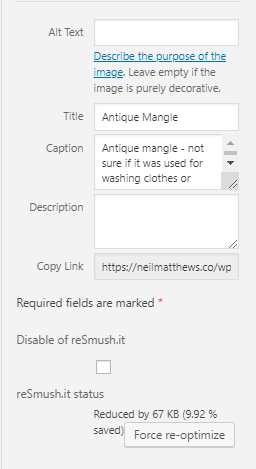
    Here’s a screen grab of the featured image I added to this post showing automatic compression.


    544 images How Long Did It Take?

    For the purposes of this post, there were 544 images that needed to be optimised.  I clicked on the button and continued to write this blog post.

    The total compression time was 1:45. It’s an intensive process and will take a lot of time.

    Wrap Up – Plugin Review: reSmush.it Image Optimizer

    Site load speed is very important, a slow site causes site abandonment from potential customers and clients.  Google penalises slow loading sites, so please add image optimisation to your performance tuning regimen.

    Optimising your images is a quick win and super simple with reSmush.it Image Optimizer

    Photo Credit: quinet Flickr via Compfight cc

  • Just a Single Post

    Just a Single Post

    Lorem ipsum dolor sit amet, consectetur adipiscing elit. Morbi sagittis, sem quis lacinia faucibus, orci ipsum gravida tortor, vel interdum mi sapien ut justo. Nulla varius consequat magna, id molestie ipsum volutpat quis. Suspendisse consectetur fringilla suctus. Pellentesque ipsum erat, facilisis ut venenatis eu, sodales vel dolor.

    Morbi sagittis, sem quis lacinia faucibus, orci ipsum gravida tortor, vel interdum mi sapien ut justo. Nulla varius consequat magna, id molestie ipsum volutpat quis. Suspendisse consectetur fringilla luctus. Fusce id mi diam, non ornare orci. Pellentesque ipsum erat, facilisis ut venenatis eu, sodales vel dolor.

    • This is a unorder list. Lorem ipsum dolor sit amet, consectetur adipiscing elit. Morbi sagittis, sem quis lacinia faucibus, orci ipsum gravida tortor, vel interdum mi sapien ut justo.
    • Nulla varius consequat magna, id molestie ipsum volutpat quis. Suspendisse consectetur fringilla luctus.
    • Fusce id mi diam, non ornare orci. Pellentesque ipsum erat, facilisis ut venenatis eu, sodales vel dolor.

    Lorem ipsum dolor sit amet, consectetur adipiscing elit. Morbi sagittis, sem quis lacinia faucibus, orci ipsum gravida tortor, vel interdum mi sapien ut justo. Nulla varius consequat magna, id molestie ipsum volutpat quis. Suspendisse consectetur fringilla luctus. Fusce id mi diam, non ornare orci. Pellentesque ipsum erat, facilisis ut venenatis eu, sodales vel dolor.