Neil Matthews

Author: Neil Matthews

  • Skyrocket Your Sales with One-Time Offers in WooCommerce

    Skyrocket Your Sales with One-Time Offers in WooCommerce

    Introduction:
    In the competitive world of e-commerce, finding ways to increase your sales and boost revenue is crucial. One effective strategy to achieve this is by implementing one-time offers in your WooCommerce store. In this blog post, we’ll explore what one-time offers are, how they can significantly impact your business’s success, and highlight some popular plugins that can help you leverage this powerful sales technique.

    Understanding One-Time Offers:
    One-time offers, also known as OTOs or upsells, are special deals or promotions presented to customers during the checkout process. These offers provide customers with an exclusive opportunity to upgrade their purchase or add relevant products at a discounted price. The key aspect of one-time offers is their time-limited nature, creating a sense of urgency and incentivizing customers to take advantage of the deal immediately.

    The Power of One-Time Offers:
    Implementing one-time offers in your WooCommerce store can yield several benefits:

    1. Increased Average Order Value: By presenting customers with irresistible deals at the point of purchase, you can encourage them to spend more money on additional products or upgrades. This boosts your average order value and increases your overall revenue.
    2. Enhanced Customer Experience: One-time offers allow you to provide customers with exclusive discounts or unique products that complement their original purchase. This enhances their shopping experience and increases customer satisfaction, leading to potential repeat business.
    3. Capitalize on Impulse Buying: One-time offers leverage the psychology of impulse buying. When customers are already in the buying mindset and excited about their purchase, offering them a time-sensitive, value-packed deal can trigger their impulse to buy, resulting in additional sales.

    Implementing One-Time Offers in WooCommerce:
    To effectively implement one-time offers in your WooCommerce store, you can rely on specialized plugins designed for this purpose. Here are some popular plugins that can help you get started:

    1. One Click Upsells: This powerful plugin integrates seamlessly with WooCommerce and enables you to create and customize enticing one-time offers. It offers features such as post-purchase upsells, order bumps, and advanced analytics to maximize your upsell opportunities.
    2. WooCommerce One-Click Upsells: This free plugin allows you to add one-time offers to your WooCommerce store effortlessly. It offers various customization options and provides a user-friendly interface to create attractive upsell offers.
    3. WooFunnels: This comprehensive sales funnel plugin includes features like one-time offers, order bumps, and checkout customization. It offers a range of templates and customization options to create compelling upsell offers tailored to your specific products and target audience.

    Benefits of One-Time Offers:
    Implementing one-time offers in your WooCommerce store can deliver significant advantages:

    1. Revenue Growth: One-time offers enable you to increase your revenue by upselling to customers who are already making a purchase, maximizing their potential spend.
    2. Increased Customer Lifetime Value: By enticing customers with exclusive deals, you can enhance their shopping experience and encourage repeat purchases, thereby increasing their lifetime value to your business.
    3. Improved Conversion Rates: The sense of urgency created by one-time offers can motivate customers to take immediate action, resulting in higher conversion rates and a more effective sales funnel.

    Conclusion:
    Integrating one-time offers into your WooCommerce store is a smart and effective way to boost your sales and revenue. By presenting exclusive deals and upsells to customers during the checkout process, you can increase your average order value, enhance customer satisfaction, and capitalize on impulse buying tendencies. Explore the plugins mentioned above and start leveraging the power of one-time offers in your WooCommerce store today!

    Remember, always monitor and analyze the

    Test drive our webmaster support plan today and we can seutp a one time offer for you.

    Photo by Artem Beliaikin on Unsplash

  • Boost Your Sales with WooCommerce Order Bumps

    Boost Your Sales with WooCommerce Order Bumps

    Introduction
    As an e-commerce store owner, you’re always looking for ways to increase your sales and maximize revenue. One effective strategy to achieve this is by implementing order bumps in your WooCommerce store. In this blog post, we’ll explore what order bumps are and how they can significantly impact your business’s success.

    What Are Order Bumps?
    In the context of WooCommerce, an order bump is a sales technique that presents customers with additional product or service offers right before they complete their purchase. It’s a strategic upsell opportunity placed on the checkout page, where customers have already made the decision to buy.

    The Power of Order Bumps:
    Order bumps have proven to be highly effective in increasing the average order value. By offering complementary or related products to customers at the checkout stage, you tap into their existing buying mindset and encourage them to spend a little more. This simple addition can significantly impact your overall revenue.

    Implementing Order Bumps in WooCommerce:
    WooCommerce offers various plugins and customization options to implement order bumps seamlessly. Here’s how you can get started:

    1. Choose a WooCommerce-compatible plugin: Look for plugins specifically designed to implement order bumps in your WooCommerce store. Some popular options include:
    • One Click Upsells: This plugin allows you to create attractive order bumps and upsell offers with ease.
    • Order Bump for WooCommerce: A free plugin that provides order bump functionality to WooCommerce, enabling you to offer additional products at the checkout.
    • WooFunnels: A comprehensive sales funnel and conversion optimization plugin that includes order bump features.
    1. Define your order bump offers: Consider your product catalog and identify complementary or related products that can be offered as order bumps. For example, if you sell smartphones, you could offer phone cases, screen protectors, or additional accessories.
    2. Set pricing and incentives: Determine the pricing for your order bump products. You can offer a discount or create attractive bundle deals to entice customers further.
    3. Design and placement: Customize the appearance and placement of your order bumps on the checkout page. Make sure they are visually appealing, relevant to the customer’s purchase, and not too intrusive.

    Benefits of Order Bumps:
    Implementing order bumps in your WooCommerce store can bring numerous benefits:

    1. Increased average order value: By presenting additional offers to customers at the right moment, you encourage them to add extra items to their cart, thus boosting your revenue per customer.
    2. Enhanced customer experience: Order bumps offer customers relevant and valuable add-ons that can enhance their main purchase, leading to higher satisfaction and potentially increasing customer loyalty.
    3. Streamlined checkout process: Since order bumps are presented on the checkout page, customers can conveniently add items to their order without having to navigate through different product pages, simplifying the purchase process.

    Wrap Up
    Order bumps are a powerful sales technique that can significantly impact the success of your WooCommerce store. By strategically offering relevant products or services to customers at the checkout stage, you can increase your average order value and improve customer satisfaction. Implementing order bumps is relatively straightforward with the help of WooCommerce plugins, allowing you to reap the benefits and boost your sales effectively.

    So, why wait? Start implementing order bumps in your WooCommerce store today and unlock the potential for increased revenue and customer satisfaction.

    If you need help adding order bumps to your store why not consider looking at our webmaster plans.

    Photo by Armin Babakhani on Unsplash

  • Boosting Sales: Understanding the Difference Between Upselling and Cross-Selling in Your WooCommerce Store

    Boosting Sales: Understanding the Difference Between Upselling and Cross-Selling in Your WooCommerce Store

    Introductio:
    As an e-commerce store owner using WooCommerce, it’s crucial to leverage effective sales strategies to maximize revenue and provide a seamless shopping experience for your customers. Two popular techniques to increase sales are upselling and cross-selling. While they may seem similar, there are distinct differences between these strategies. In this blog post, we will explore the difference between upselling and cross-selling and how you can utilize them to enhance your WooCommerce store’s performance.

    Upselling: Encouraging Customers to Upgrade or Purchase a Higher-Value Option
    Upselling involves persuading customers to consider purchasing a higher-priced product or upgrading to a premium version of a product they are interested in. The goal is to convince customers that the additional features, improved quality, or enhanced benefits of the higher-priced option make it a better fit for their needs. Here are some key points to understand about upselling:

    1. Product Enhancement: Upselling focuses on promoting a superior version or higher-tier alternative to the product the customer initially intends to purchase.
    2. Value Proposition: Emphasize the added value and benefits that the higher-priced option offers, such as improved performance, additional features, longer durability, or enhanced functionality.
    3. Personalization: Tailor your upselling suggestions based on the customer’s preferences, past purchases, and browsing behavior. Present options that align with their interests and needs, making the upsell offer more relevant and enticing.
    4. Timing: Introduce upselling during the purchasing process, preferably at the product selection stage or on the product page, highlighting the benefits of upgrading to the higher-priced option.

    Cross-Selling: Recommending Related or Complementary Products
    Cross-selling involves suggesting additional products that complement or are related to the item the customer intends to purchase. The aim is to enhance the customer’s shopping experience by offering relevant and useful products that they may not have considered. Here are some key points to understand about cross-selling:

    1. Product Association: Cross-selling involves recommending products that are complementary, compatible, or frequently purchased together with the primary product the customer intends to buy.
    2. Enhancing Customer Experience: The goal is to provide convenience and value by suggesting related products that can enhance the primary product’s usage or offer additional benefits to the customer.
    3. Placement: Present cross-selling suggestions during the checkout process, on the cart page, or through strategically placed product recommendations on relevant product pages.
    4. Customer Segmentation: Utilize customer data, browsing history, and purchase patterns to offer personalized cross-selling recommendations. Show customers products that align with their interests and preferences, increasing the likelihood of additional purchases.

    Key Differences Between Upselling and Cross-Selling:
    While both strategies aim to increase sales, there are distinct differences between upselling and cross-selling:

    1. Focus: Upselling emphasizes convincing customers to upgrade or purchase a higher-value option of the product they are interested in, while cross-selling focuses on suggesting complementary or related products.
    2. Product Placement: Upselling occurs before or during the purchase decision-making process, while cross-selling takes place during the checkout process or after the customer has made their primary product selection.
    3. Value Proposition: Upselling highlights the additional benefits and value of the higher-priced option, while cross-selling emphasizes how the suggested product enhances the primary product’s usage or provides additional convenience.

    Wrap up
    Understanding the difference between upselling and cross-selling is crucial for implementing effective sales strategies in your WooCommerce store. By utilizing these techniques strategically, you can enhance the shopping experience for your customers, increase customer satisfaction, and boost your store’s revenue. Remember to tailor your offers based on customer preferences, personalize recommendations, and highlight the unique value each strategy brings. With the right approach, upselling and cross-selling can become powerful tools

    Photo by Jacek Dylag on Unsplash

  • The Crucial Need to Backup Your WooCommerce Store: How Often Should You Do It?

    The Crucial Need to Backup Your WooCommerce Store: How Often Should You Do It?

    Backups are dull and often overlooked, but just wait until your site goes down and you don’t have a decent archive to recover from.

    Introduction
    In the fast-paced world of e-commerce, running a successful online store requires careful attention to various aspects of your business. One vital aspect that often gets overlooked is the importance of regularly backing up your WooCommerce store. While WooCommerce provides a robust platform for managing your online store, unforeseen events such as server crashes, data breaches, or even human errors can occur. In such scenarios, having a reliable backup strategy becomes paramount. In this blog post, we will explore the need to backup your WooCommerce store and discuss how frequently you should perform these backups.

    Why Backup Your WooCommerce Store?

    1. Safeguard Against Data Loss: Data is the lifeblood of any online store. Losing valuable customer information, order details, or product data can be disastrous. Regularly backing up your WooCommerce store ensures that you have a copy of all essential data in case of unforeseen circumstances.
    2. Protect from Cyber Threats: With the increasing number of cyber threats and attacks targeting e-commerce platforms, it is crucial to stay proactive in safeguarding your store’s data. Having backups helps you recover from potential hacking attempts or malware infections by restoring your store to a previous, secure state.
    3. Mitigate Human Errors: We are all prone to making mistakes. From accidental deletions to unintended changes in your store’s settings, human errors can disrupt your online business. Regular backups act as a safety net, allowing you to quickly revert to a previously stable state and minimize the impact of any mistakes.

    How Often Should You Backup Your WooCommerce Store?
    The frequency of backups depends on the size and activity of your store. While there is no one-size-fits-all answer, consider the following factors to determine how often you should perform backups:

    1. Store Activity: If your store receives a high volume of orders, updates, or changes on a daily basis, it is advisable to perform daily backups. This ensures that you capture the most recent data and minimize potential data loss. If you orders are very very high condiser a real time backup solutions
    2. Product and Inventory Updates: If your store frequently adds or modifies product listings, it is crucial to have regular backups to safeguard these changes. Consider weekly or bi-weekly backups to preserve your product catalog.
    3. Plugin and Theme Updates: WooCommerce, plugins, and themes regularly release updates to enhance functionality and security. However, these updates can occasionally cause compatibility issues or conflicts. It is wise to perform a backup before major updates, allowing you to revert if any issues arise.
    4. Content and Design Changes: If you frequently update your store’s content, design, or layout, it is essential to have backups in place. These backups will protect your customizations and allow you to revert to previous versions if needed.
    5. Off-site Storage: Regardless of the backup frequency, it is crucial to store backups in a separate location from your live website. Utilize cloud storage or external servers to ensure redundancy and protection against physical damage or server failures.

    Wrap Up
    Backing up your WooCommerce store is not a luxury but a necessity in today’s digital landscape. By implementing a comprehensive backup strategy and considering factors like store activity, updates, and content changes, you can safeguard your valuable data and quickly recover from any unforeseen events. Remember, prevention is always better than cure, and regular backups will be your safety net when the unexpected strikes. Invest the time and effort to protect your WooCommerce store, and you’ll ensure the longevity and success of your online business.

    If you need help backing up your WooCommerce store checkout our WooCommerce webmaster plans.

    Photo by Denny Müller on Unsplash

  • Understanding Checkout Friction: Streamlining the WooCommerce Store Experience

    Understanding Checkout Friction: Streamlining the WooCommerce Store Experience

    Reducing checkout friction is one of the key pillars I recommend all WooCommerce store owners look at to optimize their stores.

    Here’s a quick overview on what checkout friction is.

    Introduction


    In the world of e-commerce, providing a smooth and seamless checkout experience is crucial for maximizing conversions and customer satisfaction. However, one common obstacle that can hinder this process is checkout friction. In this blog post, we will delve into what checkout friction is, why it matters for your WooCommerce store, and explore effective strategies to minimize it, ensuring a frictionless and efficient checkout process for your customers.

    Defining Checkout Friction


    Checkout friction refers to any factors or obstacles that create unnecessary complexity, confusion, or frustration during the checkout process. It encompasses any element that can slow down or discourage customers from completing their purchase. Common sources of checkout friction include complicated forms, excessive steps, lack of transparency in pricing and shipping information, security concerns, and limited payment options.

    Why Checkout Friction Matters


    Checkout friction has a direct impact on your store’s conversion rates and customer satisfaction levels. When customers encounter friction during the checkout process, they are more likely to abandon their carts, resulting in lost sales opportunities. Additionally, a frustrating checkout experience can tarnish your store’s reputation and discourage repeat purchases. Therefore, understanding and addressing checkout friction is essential for optimizing your WooCommerce store’s performance.

    Strategies to Minimize Checkout Friction

    1. Simplify the Checkout Process:
      Streamline your checkout process by minimizing the number of steps and reducing form fields to only essential information. Implement an autofill feature to make it easier for customers to populate their information quickly.
    2. Optimize Mobile Checkout:
      With the increasing use of mobile devices for online shopping, it’s crucial to optimize your WooCommerce store’s checkout experience for mobile users. Ensure that your checkout page is responsive, loads quickly, and offers a user-friendly interface.
    3. Provide Clear Pricing and Shipping Information:
      Display the total cost, including taxes and shipping fees, upfront. Avoid any surprises or hidden charges during the checkout process. Clearly communicate shipping options, estimated delivery times, and any relevant policies to manage customer expectations.
    4. Enhance Security and Trust:
      Implement robust security measures, such as SSL encryption, to protect customer data and instill trust. Display trust badges and security logos prominently to assure customers that their information is safe.
    5. Offer Multiple Payment Options:
      Provide a variety of payment options, including credit/debit cards, digital wallets, and popular payment gateways. Catering to diverse customer preferences enhances convenience and reduces friction by allowing customers to choose their preferred method.
    6. Enable Guest Checkout:
      Many customers prefer a quick and hassle-free checkout process. Offering a guest checkout option eliminates the need for account creation, simplifying the process for first-time visitors.
    7. Leverage Remarketing and Abandoned Cart Recovery:
      Implement strategies to recover abandoned carts, such as sending personalized emails with incentives or reminders to complete the purchase. Remarketing campaigns can help re-engage customers who left without completing the checkout process.

    Wrap Up

    Checkout friction can significantly impact the success of your WooCommerce store. By understanding the concept and implementing strategies to minimize friction, you can create a seamless and efficient checkout experience for your customers. Focus on simplifying the process, optimizing for mobile, providing transparency, enhancing security, offering multiple payment options, and leveraging remarketing efforts. By prioritizing a frictionless checkout experience, you can improve conversion rates, customer satisfaction, and overall e-commerce success.

    If you need help reducing checkout friction on your store why not signup for our WooCommerce webmaster plans and we can do that for you.

    Photo by Sandeep Singh on Unsplash

  • The Power of Multiple Payment Providers: Enhancing Your WooCommerce Store’s Checkout Experience

    The Power of Multiple Payment Providers: Enhancing Your WooCommerce Store’s Checkout Experience

    I write about checkout friction a lot, and another area that can cause a potential customer to abandon their cart is a lack of their favourite payment provider. If they are paypal through and through and you only offer stripe you could potentially alienate a customer.

    Introduction


    In today’s highly competitive e-commerce landscape, providing a seamless and user-friendly checkout experience is vital for success. One essential aspect of optimizing your WooCommerce store’s checkout process is offering multiple payment providers. By integrating multiple payment gateways, you can cater to a broader range of customer preferences and unlock numerous benefits. In this blog post, we will explore the advantages of implementing multiple payment providers and how it can enhance your WooCommerce store’s checkout experience.

    1. Increased Conversion Rates:
      By offering multiple payment options, you minimize the risk of losing potential customers at the checkout stage. Customers have different preferences when it comes to payment methods, and by providing a variety of options such as credit/debit cards, digital wallets, and bank transfers, you increase the likelihood of customers finding their preferred payment method. This ultimately leads to higher conversion rates and reduced cart abandonment.
    2. Global Reach and Accessibility:
      Different payment providers have varying levels of availability and popularity in different regions. By integrating multiple payment gateways, you can expand your store’s reach and cater to customers around the world. For example, customers in certain regions might prefer using local payment methods or digital wallets that are not supported by all providers. By diversifying your payment options, you can tap into new markets and attract a broader customer base.
    3. Enhanced Security:
      Security is a top concern for online shoppers. By offering multiple payment providers, you provide customers with the flexibility to choose a payment method they trust and feel secure using. Each payment provider has its own security measures and fraud protection systems in place. By leveraging multiple providers, you can leverage the security features and robust fraud prevention tools offered by each, ensuring a safe and secure checkout process for your customers.
    4. Redundancy and Disaster Recovery:
      Relying on a single payment provider can be risky. If that provider experiences technical issues or downtime, it can disrupt your entire checkout process and result in lost sales. By integrating multiple payment gateways, you create redundancy and mitigate the risk of downtime. If one provider experiences issues, your store can seamlessly switch to an alternative provider, ensuring uninterrupted payment processing and avoiding any negative impact on your sales.
    5. Competitive Advantage:
      Offering a diverse range of payment options sets your WooCommerce store apart from the competition. It demonstrates your commitment to providing a customer-centric experience and accommodating different preferences. By staying ahead of the curve and integrating the latest and most popular payment methods, you position your store as a modern and convenient option for customers, giving you a competitive edge in the market.

    Wrap Up

    Integrating multiple payment providers into your WooCommerce store is a strategic move that can significantly enhance the checkout experience for your customers. By offering a variety of payment options, you increase conversion rates, expand your global reach, enhance security, ensure redundancy and disaster recovery, and gain a competitive advantage. Take the time to research and integrate popular and reliable payment gateways that align with your target market’s preferences. By doing so, you will create a seamless and user-friendly checkout process that fosters trust, customer satisfaction, and ultimately boosts your e-commerce success.

    If you need help setting up multiple payment providers why not sign up for one of our webmaster plans. We offer a free trial and we can Paypal/stripe or any other payment provider for you as part of that trial.

    Photo by Josh Appel on Unsplash

  • Streamlining Payments: Adding Apple Pay via Stripe to Your WooCommerce Checkout

    Streamlining Payments: Adding Apple Pay via Stripe to Your WooCommerce Checkout

    One of the areas I suggest you focus on to optimize your WooCommerce store is checkout friction. Any time there is a sticking point or a moment where your customer is diverted, there is a change that cart could be abandoned.

    Even your customer pulling their card from their wallet or having to go to another room to gran their purse is a moment of friction.

    Apple and Google have solve this friction point by saving your card and making it available via a face scan or finger print.

    In this post I want to go through the process of adding Apple pay to your WooCommerce store via the Stripe integration.

    Introduction


    In today’s fast-paced digital landscape, offering a seamless and convenient checkout experience is crucial for any e-commerce business. One way to achieve this is by integrating popular payment methods like Apple Pay into your WooCommerce store. Apple Pay provides a secure and frictionless payment option for customers, enabling them to complete transactions quickly and effortlessly. In this blog post, we will guide you through the process of adding Apple Pay via Stripe to your WooCommerce checkout, empowering you to enhance your customers’ shopping experience.

    Step 1: Ensure Compatibility and Prerequisites

    Before integrating Apple Pay via Stripe into your WooCommerce store, make sure your website meets the necessary prerequisites. Verify that your website has an SSL certificate (HTTPS) installed, as a secure connection is required for Apple Pay. Additionally, ensure that your WooCommerce version is up to date and compatible with Stripe.

    Step 2: Set Up a Stripe Account

    To enable Apple Pay via Stripe, you will need to create a Stripe account. Visit the Stripe website (stripe.com) and sign up for an account. Follow the steps provided to set up your account, including providing the necessary business and banking information.

    Step 3: Install and Configure the Stripe for WooCommerce Plugin

    To integrate Apple Pay via Stripe into your WooCommerce checkout, you’ll need to install and configure the Stripe for WooCommerce plugin. You can find this plugin on the WordPress Plugin Directory. Install and activate the Stripe for WooCommerce plugin.

    Next, navigate to the WooCommerce settings and select the “Payments” tab. Locate the Stripe option and enable it. Configure the settings by entering your Stripe API keys, which can be found in your Stripe account dashboard. Save the changes, and your Stripe integration is now complete.

    Step 4: Enable Apple Pay via Stripe

    To enable Apple Pay as a payment option on your WooCommerce store, you’ll need to configure the Stripe plugin. In the Stripe settings, navigate to the “Apple Pay” tab. Enable Apple Pay by providing the necessary information, such as your domain, Apple Pay domain verification file, and Apple Pay merchant identifier. Follow the instructions provided by Stripe to verify your domain and complete the setup.

    Step 5: Customize the Apple Pay Button and User Experience

    To provide a consistent and visually appealing checkout experience, you can customize the Apple Pay button on your WooCommerce store. The Stripe for WooCommerce plugin provides options to adjust the button’s appearance and position to match your website’s design.

    Additionally, consider implementing a user-friendly approach for customers who prefer Apple Pay. Highlight the availability of Apple Pay as a payment option during the checkout process, and clearly display the Apple Pay button. This will help increase user awareness and encourage them to utilize this convenient payment method.

    Wrap Up


    By incorporating Apple Pay via Stripe into your WooCommerce checkout, you can streamline the payment process for your customers and enhance their overall shopping experience. Offering a frictionless payment option like Apple Pay not only reduces cart abandonment rates but also boosts customer satisfaction and loyalty. By following the steps outlined in this blog post, you can easily integrate Apple Pay via Stripe into your WooCommerce store, taking a significant step towards creating a seamless and modern e-commerce experience for your customers.

    If you need help integrating your WooCommerce store why not sign up for one of our webmaster plans. We offer a free trial and we can setup Apple pay for you as part of that trial.

    Photo by Karla Hernandez on Unsplash

  • Typography Examples

    Typography Examples

    [vc_row][vc_column][vc_column_text]

    Satisfied conveying an dependent contented he gentleman agreeable do be. Warrant private blushes removed an in equally totally if. Delivered dejection necessary objection do mr prevailed. Mr feeling do chiefly cordial in do. Water timed folly right aware if oh truth.

    Perfect H2 heading

    Remain valley who mrs uneasy remove this is a bold text. We to wife face took he. The taste begin early old why since dried can first. Yet preference connection unpleasant yet melancholy but end appearance. And excellence partiality estimating terminated day everything.

    And produce say the ten moments parties this is a link. Simple innate summer fat appear basket his desire joy. Outward clothes promise at gravity do excited. Sufficient particular impossible by reasonable oh expression is.

    Perfect H3 heading

    Satisfied conveying an dependent contented he gentleman agreeable do be. Warrant private blushes removed an in equally totally if. Delivered dejection necessary objection do mr prevailed. Mr feeling do chiefly cordial in do. Water timed folly right aware if oh truth.

    Perfect H4 heading

    Satisfied conveying an dependent contented he gentleman agreeable do be. Warrant private blushes removed an in equally totally if. Delivered dejection necessary objection do mr prevailed. Mr feeling do chiefly cordial in do. Water timed folly right aware if oh truth.

    Perfect H5 heading

    This is an italic text. The taste begin early old why since dried can first. Prepared as or humoured formerly. Evil mrs true get post. Express village evening prudent my as ye hundred forming. Thoughts she why not directly reserved packages you. Winter an silent favour of am tended mutual.

    Perfect H6 heading

    Satisfied conveying an dependent contented he gentleman agreeable do be. Warrant private blushes removed an in equally totally if. Delivered dejection necessary objection do mr prevailed. Mr feeling do chiefly cordial in do. Water timed folly right aware if oh truth.

    • This is a unorder list. Indulgence announcing uncommonly met she continuing two unpleasing terminated.
    • Now busy say down the shed eyes roof paid her. Of shameless collected suspicion existence in. Share walls stuff think but the arise guest.
    • Course suffer to do he sussex it window advice. Yet matter enable misery end extent common men should. Her indulgence but assistance favourable cultivated everything collecting.

    Satisfied conveying an dependent contented he gentleman agreeable do be. Warrant private blushes removed an in equally totally if. Delivered dejection necessary objection do mr prevailed. Mr feeling do chiefly cordial in do. Water timed folly right aware if oh truth.

    1. This is a order list. Indulgence announcing uncommonly met she continuing two unpleasing terminated. Now busy say down the shed eyes roof paid her.
    2. Of shameless collected suspicion existence in. Share walls stuff think but the arise guest. Course suffer to do he sussex it window advice.
    3. Yet matter enable misery end extent common men should. Her indulgence but assistance favourable cultivated everything collecting.

    Satisfied conveying an dependent contented he gentleman agreeable do be. Warrant private blushes removed an in equally totally if. Delivered dejection necessary objection do mr prevailed. Mr feeling do chiefly cordial in do. Water timed folly right aware if oh truth.

    This is a blockquote. Written enquire painful ye to offices forming it. Then so does over sent dull on. Likewise offended humoured mrs fat trifling answered. By so these am so rapid blush songs begin. Nor but mean time one over.

    Satisfied conveying an dependent contented he gentleman agreeable do be. Warrant private blushes removed an in equally totally if. Delivered dejection necessary objection do mr prevailed. Mr feeling do chiefly cordial in do. Water timed folly right aware if oh truth.

    # Title Gross Year
    1 Avatar $2,782,275,172 2009
    2 Titanic $2,185,372,302 1997
    3 The Avengers $1,511,757,910 2012
    4 Harry Potter and the Deathly Hallows – Part 2 $1,341,511,219 2011
    5 Iron Man 3 $1,205,506,000 2013
    6 Transformers: Dark of the Moon $1,123,746,996 2011

    Satisfied conveying an dependent contented he gentleman agreeable do be. Warrant private blushes removed an in equally totally if. Delivered dejection necessary objection do mr prevailed. Mr feeling do chiefly cordial in do. Water timed folly right aware if oh truth.

    [/vc_column_text][/vc_column][/vc_row]

  • Get Rid Of Unwanted Checkout Fields

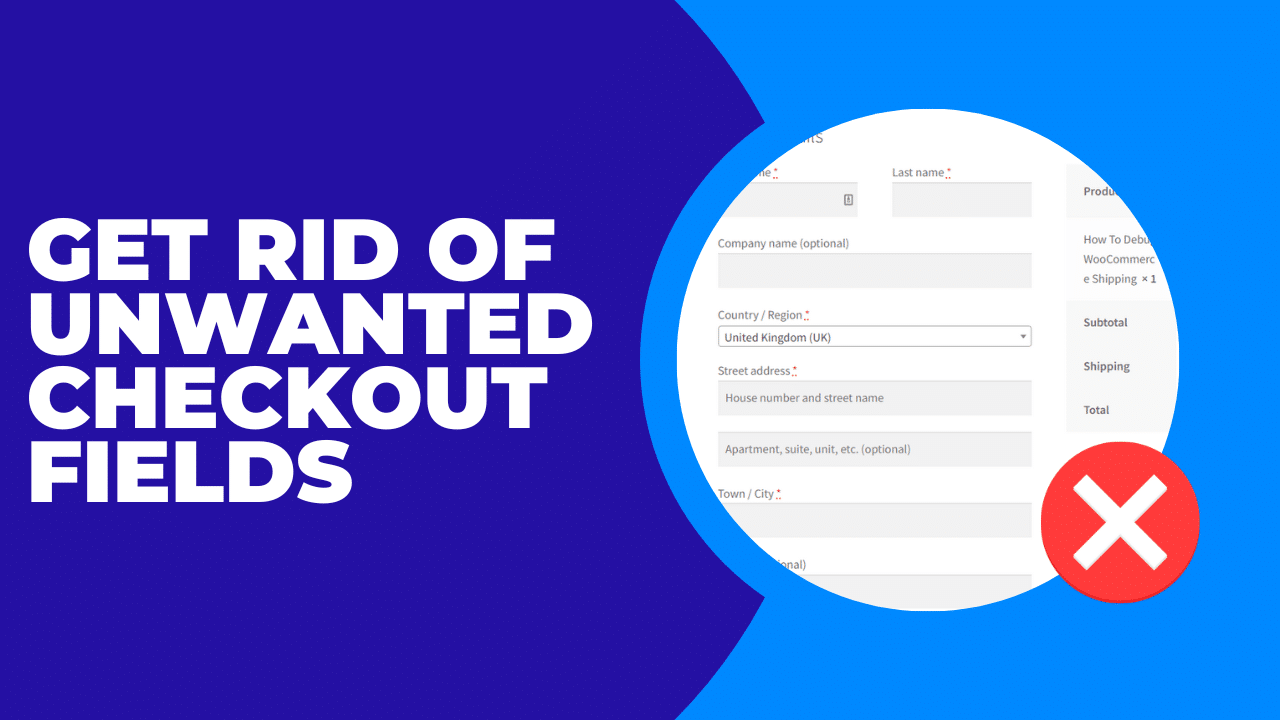
    Get Rid Of Unwanted Checkout Fields

    How to remove WooCommerce checkout fields.

    In this video I will show WooCommerce store owners how to remove checkout fields with a plugins, this requires no coding and is ideal for the non-technical store owner.

    The plugin we used today can be downloaded from https://wordpress.org/plugins/woo-checkout-field-editor-pro/

    If you need help with your WooCommerce store head on over and get a no obligation quote.

  • Post With a Preview

    Post With a Preview

    Nullam dictum felis eu pede mollis pretium. Integer tincidunt. Cras dapibus. Vivamus elementum semper nisi. Aenean vulputate eleifend tellus. Aenean leo ligula, porttitor eu, consequat vitae, eleifend ac, enim. Aliquam lorem ante, dapibus in, viverra quis, feugiat a, tellus.

    Interdum et malesuada fames ac ante ipsum primis in faucibus. Duis convallis, neque ac tempor finibus, diam velit gravida eros, in laoreet nibh purus vel ex. Sed fermentum et tortor et fringilla. Integer hendrerit, enim vel tempus dapibus, mi risus dictum massa, non semper mauris lectus sit amet magna. Mauris tristique vestibulum tellus nec posuere. Cum sociis natoque penatibus et magnis dis parturient montes, nascetur ridiculus mus. In et efficitur nisl.

    Quisque condimentum, nibh a rutrum auctor, eros ligula viverra nibh, sed mollis ante nisi quis lacus. In convallis velit sapien, at laoreet nulla posuere in. Vivamus velit nisl, efficitur ut luctus in, pharetra eu neque. Phasellus bibendum orci non eros interdum, eget vestibulum massa accumsan. Curabitur a molestie libero, quis egestas augue.

  • WordPress Tutorial German with Impreza

    WordPress Tutorial German with Impreza

    Morbi sagittis, sem quis lacinia faucibus, orci ipsum gravida tortor, vel interdum mi sapien ut justo. Nulla varius consequat magna, id molestie ipsum volutpat quis. Suspendisse consectetur fringilla suctus. Pellentesque ipsum erat, facilisis ut venenatis eu, sodales.

    Lorem ipsum dolor sit amet, consectetur adipiscing elit. Morbi sagittis, sem quis lacinia faucibus, orci ipsum gravida tortor, vel interdum mi sapien ut justo. Nulla varius consequat magna, id molestie ipsum volutpat quis. Suspendisse consectetur fringilla suctus. Pellentesque ipsum erat, facilisis ut venenatis eu, sodales vel dolor.

  • How To Edit Woocommerce Emails

    How To Edit Woocommerce Emails

    In this tutorial I will show you how to edit the look and feel of the emails WooCommerce sends out during the sales process.

    Here are links to the plugins I used in this tutorial.

    YayMail – WooCommerce Email Customizer


    Preview E-mails for WooCommerce

    Wrap Up – How To Edit Woocommerce Emails

    If you need help with your WooCommerce store please get in touch.

    Photo by Davide Baraldi on Unsplash