Neil Matthews

Author: Neil Matthews

  • The Top Themes for WooCommerce Stores: Elevate Your E-commerce Website

    The Top Themes for WooCommerce Stores: Elevate Your E-commerce Website

    Introduction – The Top Themes for WooCommerce Stores
    The appearance of your e-commerce store is pivotal in attracting and retaining customers. WooCommerce, one of the most popular e-commerce plugins for WordPress, provides a diverse range of themes to choose from. However, selecting the perfect theme is crucial for ensuring your online store is both visually appealing and highly functional. In this blog post, we will explore some of the best themes for WooCommerce stores, complete with links, that can help you enhance your e-commerce website’s performance and aesthetics.

    1. Astra:
      Astra is a lightweight and highly customizable theme that integrates seamlessly with WooCommerce. Its clean design and performance-focused features make it an excellent choice for online stores. Astra offers pre-designed templates that can be easily imported to kickstart your e-commerce journey. Astra Theme
    2. Storefront:
      Storefront is an official WooCommerce theme created by the same team. It is designed to work flawlessly with WooCommerce, ensuring that your store’s functionality and appearance are optimized. Storefront is a free theme with various customization options and a range of child themes available for added versatility. Storefront Theme
    3. Flatsome:
      Flatsome is a popular WooCommerce theme known for its stylish and responsive design. It includes a powerful drag-and-drop page builder, making it easy for non-developers to create custom layouts. Flatsome’s features, like quick product search and product quick view, enhance the user experience. Flatsome Theme
    4. Porto:
      Porto is a highly customizable WooCommerce theme with a range of layout options and skins. It offers a responsive design, an extensive set of e-commerce features, and great performance. Porto is suitable for a variety of product types and business niches. Porto Theme
    5. Neve:
      Neve is a multipurpose theme compatible with WooCommerce. It boasts fast loading times and is highly customizable. Neve’s integration with popular page builders allows you to create unique product pages and customize your store’s design to your liking. Neve Theme
    6. WoodMart:
      WoodMart is a premium WooCommerce theme known for its versatility and e-commerce-specific features. It offers various shop layouts, AJAX filters, and a built-in search functionality. WoodMart is a great choice for businesses with large product catalogs. WoodMart Theme
    7. The Retailer:
      The Retailer is a feature-rich WooCommerce theme with an elegant design. It includes multiple pre-built demos for different industries and is highly customizable. Its focus on aesthetics and user experience can make your online store stand out. The Retailer Theme
    8. Soledad:
      Soledad is a multipurpose WordPress theme with a strong emphasis on blogging and e-commerce. It offers a wide range of customization options and layouts. If content marketing is essential for your store, Soledad can be a great choice. Soledad Theme

    Conclusion – The Top Themes for WooCommerce Stores
    Choosing the right theme for your WooCommerce store is a decision that should align with your specific needs and brand identity. Each of the themes mentioned above has its own unique strengths, whether it’s a focus on performance, aesthetics, or functionality. Take the time to explore these themes, considering your store’s individual requirements, to make an informed decision. Keep in mind that the best WooCommerce theme is the one that helps you deliver an exceptional shopping experience to your customers while aligning with your brand’s personality and goals.

    If you need help implementing a theme on your WooCommerce store get in touch.

    Photo by KayDee Owens on Unsplash

  • Should I Show WooCommerce Prices Inc or Ex TAX?

    Should I Show WooCommerce Prices Inc or Ex TAX?

    In this video I’ll address the question “Should I Show WooCommerce Prices Inc or Ex TAX?”.

    In the UK we pay a sales tax called VAT (value added tax). It is collected by the company and paid to HMRC (His Majesties Revenue and Customs) the UK version of the IRS.

    For consumers buying products they need to suck it up and pay the tax, but for companies that are VAT registered they can reclaim that money, so in the UK it really depends upon on the the type of customer you sell to whether or not to inc/ex tax. B2C I recommend showing prices inc of tax, for B2B show it ex.

    In this video I’ll show you how to do both and I’ll add in a third custom solution where you can add a code snippet to show both.

    Video

    Code Snippet

    Here’s the code snippet I used in my demo. Copy and paste this into your functions.php file in your theme, or use the code snippet plugin.

    add_filter( 'woocommerce_get_price_html', 'nm_excl_incl_tax', 9999, 2 );
    
    function nm_excl_incl_tax( $price, $product ) {
    
    if ( wc_tax_enabled() ) {
    
    if ( 'incl' === get_option( 'woocommerce_tax_display_shop' ) ) {
    $price = wc_price( wc_get_price_including_tax( $product ) ) . ' <small class="woocommerce-price-suffix">' . WC()->countries->inc_tax_or_vat() . '</small>';
    } else {
    $price = wc_price( wc_get_price_excluding_tax( $product ) ) . ' <small class="woocommerce-price-suffix">' . WC()->countries->ex_tax_or_vat() . '</small>' . '<br/>' . 'Incl. Tax: ' . wc_price( wc_get_price_including_tax( $product ) );
    }
    
    }
    
    return $price;
    }

    You can use my code snippet generator as seen in the video from this link WooCommmerce Code Generator. It’s free to use and will create a woocommerce code snippet from plain English.

    Here’s a link to my post on using the code snippet plugin. Check out the video on how to install the code snippet plugin and how to add the snippet you generate or copy from above.

    Wrap Up – Should I Show WooCommerce Prices Inc or Ex TAX?

    It really depends upon your audience but I hope I have given you enough options to show or hide that pesky tax rate on your WooCommerce store.

    If you need help with your WooCommerce tax setup why not hire me. I offer development services and WooCommerce maintenance.

    Photo by Bermix Studio on Unsplash

  • Managing Inventory and Stock Levels in WooCommerce

    Managing Inventory and Stock Levels in WooCommerce

    Inventory management is a critical aspect of running a successful e-commerce store. Keeping a close eye on your product stock levels, knowing when to restock, and preventing overselling are key elements in ensuring customer satisfaction and efficient operations. In this blog post, we’ll explore the importance of managing inventory and stock levels in WooCommerce, along with practical tips to help you streamline this process.

    The Significance of Efficient Inventory Management

    1. Customer Satisfaction: Accurate stock levels ensure you don’t oversell products that are out of stock, which can lead to customer disappointment and frustration.
    2. Cost Efficiency: Efficient inventory management helps you avoid overstocking or understocking, reducing storage costs and financial waste.
    3. Improved Cash Flow: By keeping track of your inventory and ordering only what you need when you need it, you can free up capital for other aspects of your business.
    4. Timely Reordering: With a clear understanding of stock levels, you can reorder products on time to avoid running out of popular items.

    Managing Inventory in WooCommerce

    WooCommerce offers built-in inventory management features that make it relatively easy to handle your store’s stock levels effectively. Here’s how to get started:

    1. Enable Stock Management:

    In your WooCommerce dashboard, navigate to WooCommerce > Settings > Products > Inventory. Check the “Manage stock” option to enable stock management for your products.

    2. Set Stock Status:

    For each product, you can set the stock status to “In stock,” “Out of stock,” or “On backorder.” This information will be displayed to customers on your product pages.

    3. Set Stock Quantity:

    For each product, specify the initial stock quantity. WooCommerce will automatically update this number as customers make purchases.

    4. Low Stock Threshold:

    Define a low stock threshold to receive notifications when a product’s stock level drops below a certain point. This helps you proactively reorder inventory.

    5. Backorders:

    Decide whether you want to allow backorders for your products, and set specific conditions for doing so.

    6. Product Variations:

    If your products have variations, you can manage the stock levels for each variation individually.

    Practical Tips for Effective Inventory Management

    1. Regular Audits: Conduct periodic inventory audits to ensure the physical stock matches your digital records.
    2. Use Barcode Scanning: Implement barcode scanning technology to streamline the tracking of stock levels.
    3. Implement an Inventory Management System: Consider using dedicated inventory management software that can integrate with WooCommerce for more advanced features.
    4. Forecast Demand: Use historical data and market trends to forecast product demand and adjust your stock levels accordingly.
    5. Leverage Automation: Explore automation tools and plugins that can help you manage inventory more efficiently.
    6. Monitor Product Returns: Keep track of returned items and incorporate this data into your stock management strategy.
    7. Train Your Team: Ensure that your team is well-trained in inventory management procedures to minimize errors.

    In conclusion, efficient inventory management in WooCommerce is crucial for maintaining smooth operations, satisfying customers, and optimizing your business’s financial health. By following these tips and leveraging the built-in features of WooCommerce, you can keep your stock levels in check and run a successful online store. Remember that regular monitoring and adjustments are key to maintaining an effective inventory management system that adapts to the evolving needs of your business.

    If you need ongoing WooCommerce maintenance for your store click on the link.

    Photo by Paul Teysen on Unsplash

  • WooCommerce vs. Shopify: Which E-Commerce Platform Is Right for You?

    WooCommerce vs. Shopify: Which E-Commerce Platform Is Right for You?

    Introduction – WooCommerce vs. Shopify

    Choosing the right e-commerce platform is a critical decision for anyone looking to launch an online store. Two of the most popular choices are WooCommerce and Shopify, each offering unique features and capabilities. In this blog post, we’ll compare WooCommerce and Shopify to help you determine which platform is the best fit for your e-commerce business.

    Understanding WooCommerce

    WooCommerce is an open-source e-commerce plugin for WordPress. It’s a versatile and highly customizable platform that provides online merchants with the tools they need to build a unique and tailored online store. Here are some key aspects to consider:

    1. Flexibility: WooCommerce offers great flexibility, making it an excellent choice for businesses of all sizes. It allows you to customize your online store to suit your specific needs.
    2. Control: With WooCommerce, you have complete control over your website. You can choose your hosting, design, and customize your site as you see fit.
    3. Scalability: WooCommerce is ideal for small businesses and can easily grow with you. As your business expands, you can add features and functionality to meet your requirements.
    4. Cost: The core WooCommerce plugin is free, but you’ll incur costs for hosting, themes, and premium extensions if needed.
    5. Learning Curve: While WooCommerce offers flexibility, it may require some technical knowledge or assistance to set up and maintain.

    Exploring Shopify

    Shopify is a fully hosted e-commerce platform that provides everything you need to start, run, and grow an online store. It’s known for its user-friendly interface and ease of use. Here are some key points to consider:

    1. Ease of Use: Shopify is incredibly user-friendly. It doesn’t require any technical expertise to set up and manage your store.
    2. Hosted Solution: Shopify takes care of hosting, security, and maintenance, reducing the technical burden on store owners.
    3. Templates and Themes: Shopify offers a range of templates and themes that you can customize to match your brand.
    4. App Store: The Shopify App Store provides a vast selection of add-ons and integrations to enhance your store’s functionality.
    5. Cost: Shopify offers different pricing plans, including a free trial, with monthly fees ranging from basic to advanced features.
    6. Scalability: Shopify is suitable for businesses of all sizes and is designed to scale with your needs.

    Choosing the Right Platform

    The choice between WooCommerce and Shopify ultimately depends on your specific business requirements:

    • If you prefer complete control over your store’s design and functionality, have some technical expertise or access to developers, and want a solution that can scale with your business, WooCommerce is an excellent choice.
    • If you’re looking for a user-friendly, hosted solution that’s easy to set up and maintain, Shopify might be the better fit, especially if you’re just starting out or have limited technical experience.

    Consider factors such as your budget, design preferences, long-term goals, and the complexity of your product offerings. Both WooCommerce and Shopify have their strengths, and the decision should align with your unique business needs and aspirations.

    In conclusion, choosing the right e-commerce platform is a pivotal decision for your online business. Weigh the pros and cons of WooCommerce and Shopify, and select the one that aligns with your specific goals and resources. Whichever platform you choose, remember that success in e-commerce depends on more than just the platform—it’s also about product quality, marketing, and excellent customer service.

    Wrap Up – WooCommerce vs. Shopify

    I think you can see which platform I go for, If you need ongoing WooCommerce maintenance for your store click on the link.

    Photo by Pablo Rebolledo on Unsplash

  • The Importance of Mobile Optimization in WooCommerce

    The Importance of Mobile Optimization in WooCommerce

    Introduction – The Importance of Mobile Optimization in WooCommerce

    In today’s fast-paced digital world, mobile devices have become an integral part of our lives. We use them for everything from social networking to shopping. This shift in consumer behavior has significant implications for e-commerce businesses. If you’re running an online store using WooCommerce, optimizing it for mobile users is not just a good idea – it’s essential for your success. In this blog post, we’ll explore the importance of mobile optimization in WooCommerce and provide tips for ensuring your store caters to this growing audience.

    The Mobile Revolution

    The mobile revolution is here, and it’s not going anywhere. More and more consumers are using their smartphones and tablets to browse, shop, and make purchases online. In fact, according to Statista, in 2021, mobile e-commerce accounted for nearly half of total e-commerce sales in the United States. This trend is not limited to one country; it’s a global phenomenon. If your online store is not mobile-friendly, you risk missing out on a significant portion of your potential customer base.

    The SEO Factor

    Search engines, particularly Google, have placed a strong emphasis on mobile-friendliness. Websites that are optimized for mobile devices tend to rank higher in mobile search results. Google’s mobile-first indexing means that the mobile version of your site is considered the primary version for ranking and indexing. If your WooCommerce store is not mobile-optimized, your SEO efforts will be at a disadvantage, potentially leading to lower search engine rankings and reduced organic traffic.

    Improved User Experience

    One of the primary reasons for mobile optimization is to provide an improved user experience. Mobile users have different needs and expectations compared to desktop users. They want a seamless, easy-to-navigate experience that fits the smaller screens of their devices. Mobile optimization ensures that your site loads quickly, content is legible, buttons are touch-friendly, and navigation is intuitive. A positive user experience can lead to higher engagement, longer sessions, and ultimately, more sales.

    Reduced Bounce Rates

    A non-mobile-optimized WooCommerce store can result in high bounce rates. When users visit your site on a mobile device and find it difficult to use or read, they are more likely to leave without exploring your products or making a purchase. A high bounce rate not only hurts your conversion rate but can also negatively impact your search engine rankings.

    Conversion Rate Optimization

    Mobile optimization goes hand in hand with conversion rate optimization (CRO). By tailoring your WooCommerce store to mobile users, you can create a shopping experience that encourages users to complete their purchases. Streamlined checkout processes, simplified forms, and mobile-friendly payment options can significantly boost your conversion rates on mobile devices.

    Tips for Mobile Optimization in WooCommerce

    Now that we’ve highlighted the importance of mobile optimization, here are some practical tips to ensure your WooCommerce store is mobile-friendly:

    1. Responsive Design: Use a responsive design that adapts to various screen sizes and devices.
    2. Mobile-Friendly Themes: Choose WooCommerce themes that are designed with mobile optimization in mind.
    3. Image Compression: Compress images to reduce load times on mobile devices.
    4. Simplified Navigation: Simplify your site’s navigation and use clear, mobile-friendly menus.
    5. Page Speed: Optimize your site’s loading speed for mobile users.
    6. Mobile Payment Options: Implement mobile payment options like digital wallets and one-click checkouts.
    7. User Testing: Conduct usability testing on mobile devices to identify and address any issues.
    8. Mobile SEO: Optimize your site for mobile search with a focus on mobile keywords and user intent.

    In conclusion, the importance of mobile optimization in WooCommerce cannot be overstated. To thrive in the competitive world of e-commerce, it’s crucial to cater to the growing audience of mobile shoppers. A mobile-friendly store not only enhances your search engine visibility but also improves user experience, reduces bounce rates, and boosts conversion rates. By following the tips outlined in this post, you can ensure that your WooCommerce store is well-prepared for the mobile revolution.

    Wrap Up – The Importance of Mobile Optimization in WooCommerce

    If you need ongoing WooCommerce maintenance for your store click on the link.

    Photo by Paul Hanaoka on Unsplash

  • 10 Must-Have WooCommerce Plugins for Your Online Store

    10 Must-Have WooCommerce Plugins for Your Online Store

    Introduction : 10 Must-Have WooCommerce Plugins for Your Online Store

    When it comes to creating and managing an online store with WooCommerce, one of the strengths of this popular e-commerce platform is its flexibility and extensibility through plugins. WooCommerce plugins can enhance your store’s functionality, improve the user experience, and ultimately help you increase sales and conversions. In this blog post, we’ll explore 10 must-have WooCommerce plugins that can take your online store to the next level.

    1. WooCommerce SEO by Yoast

    Search engine optimization (SEO) is crucial for online visibility. WooCommerce SEO by Yoast is a powerful plugin that helps you optimize your product pages, category pages, and more. It provides real-time content analysis, helping you create SEO-friendly product descriptions and meta information.

    2. WooCommerce Subscriptions

    For stores offering subscription-based products or services, WooCommerce Subscriptions is a game-changer. It allows you to create and manage subscription plans, ensuring a steady stream of recurring revenue.

    3. WooCommerce PayPal Checkout Payment Gateway

    Payment gateways are a fundamental part of e-commerce. The WooCommerce PayPal Checkout Payment Gateway is a user-friendly and secure way to accept payments. It provides a seamless checkout experience, reducing cart abandonment rates.

    4. YITH WooCommerce Wishlist

    Enhance the shopping experience with the YITH WooCommerce Wishlist plugin. It allows customers to create wishlists, which can boost engagement and conversions as they come back to purchase their desired items.

    5. WooCommerce Bookings

    Perfect for businesses offering appointments, classes, or rental services, WooCommerce Bookings lets customers schedule and book services or products directly on your site. It’s a must-have for businesses with appointment-based operations.

    6. WooCommerce Product Add-Ons

    Customization is key in e-commerce. WooCommerce Product Add-Ons enables you to offer personalized options for your products, such as engraving, gift wrapping, or additional accessories, providing a unique shopping experience.

    7. WooCommerce MailChimp

    Email marketing remains a potent tool for e-commerce. WooCommerce MailChimp integration allows you to sync your customers with your MailChimp lists, making it easy to send targeted marketing emails and newsletters.

    8. UpdraftPlus – Backup/Restore

    Security and backups are paramount. UpdraftPlus simplifies the process of backing up your WooCommerce store, ensuring that your data is safe and can be restored in case of emergencies.

    9. WooCommerce Product Reviews Pro

    User-generated reviews and ratings build trust and influence purchasing decisions. WooCommerce Product Reviews Pro offers advanced review features, including the ability to include images and videos in product reviews.

    10. WooCommerce Customizer

    Customizing the appearance of your store is crucial. The WooCommerce Customizer plugin allows you to make design changes without the need for coding. You can modify buttons, labels, and other visual elements to match your brand.

    In conclusion, WooCommerce’s plugin ecosystem is vast and varied, but these 10 must-have plugins cover a wide range of needs for your online store. By incorporating these plugins, you can optimize your store for SEO, improve the customer experience, and enhance your store’s functionality. Keep in mind that the specific plugins you need may vary depending on your business model, but these are excellent starting points to consider for any WooCommerce-based online store.

    If you need help with your WooCommerce store get in touch.

    Photo by Clint Patterson on Unsplash

  • INTRODUCTION TO THE woOCOMMERCE REST api

    INTRODUCTION TO THE woOCOMMERCE REST api

    In this video I’ll give you an introduction to the WooCommerce REST API, what it is and what you can do with it.

    Video

    postman.com

    WooCommerce rest API Documentation

    Wrap Up – Introduction To The WooCommerce REST API

    The REST API is used for integrating

    If you need help with the WooCommerce REST API get in touch.

    Photo by Kate Stone Matheson on Unsplash

  • Unlocking the Power of WooCommerce Coupons: A Comprehensive Guide

    Unlocking the Power of WooCommerce Coupons: A Comprehensive Guide

    Introduction – Unlocking the Power of WooCommerce Coupons

    In the dynamic world of e-commerce, every tool and strategy you employ can make a significant impact on your business’s success. One such powerful tool at your disposal is WooCommerce coupons. These virtual discount codes, when used effectively, can drive sales, boost customer loyalty, and enhance the overall shopping experience on your WooCommerce store. In this comprehensive guide, we will explore the ins and outs of WooCommerce coupons, from creation to optimization, to help you unlock their full potential.

    Table of Contents:

    1. Introduction to WooCommerce Coupons

    • An overview of what WooCommerce coupons are, their significance in e-commerce, and their role in attracting and retaining customers.

    2. Types of WooCommerce Coupons

    • Explore the various coupon types you can create, including percentage discounts, fixed amount discounts, free shipping, buy one get one (BOGO), and more.

    3. Creating Coupons in WooCommerce

    • A step-by-step guide on how to create coupons within your WooCommerce dashboard, including coupon code generation, coupon options, and usage restrictions.

    4. Setting Up Coupon Expiry Dates

    • The importance of setting expiration dates for coupons and how to do it effectively to create a sense of urgency.

    5. Using Coupon Categories and Tags

    • Learn how to organize your coupons using categories and tags, making it easier to manage and target specific customer segments.

    6. Targeting Specific Customer Groups

    • Explore how to use coupon restrictions and user roles to deliver personalized offers to different customer groups.

    7. Advanced Coupon Strategies

    • Dive into advanced coupon strategies such as stacking coupons, limited-time flash sales, and coupon-based subscription incentives.

    8. WooCommerce Coupon Plugins

    • Discover WooCommerce plugins and extensions that can enhance your coupon capabilities, from social media coupon integration to loyalty programs.

    9. Best Practices for WooCommerce Coupons

    • In-depth dos and don’ts of using coupons in your WooCommerce store, including coupon naming conventions, transparency, and security.

    10. Tracking and Analyzing Coupon Performance

    • A guide on using WooCommerce’s built-in reporting tools to measure the effectiveness of your coupon campaigns and make data-driven decisions.

    11. Real-World Success Stories

    • Explore case studies of e-commerce businesses that have harnessed the power of WooCommerce coupons to drive sales, increase customer loyalty, and achieve remarkable results.

    12. Conclusion and Next Steps

    • A summary of the key takeaways from the guide and recommendations for implementing WooCommerce coupons effectively in your e-commerce business.

    Unlocking the power of WooCommerce coupons requires a strategic and informed approach. Whether you’re a seasoned e-commerce professional or just starting out, this comprehensive guide will equip you with the knowledge and tools you need to leverage WooCommerce coupons for maximum impact. Join us on this journey to empower your online store with the dynamic force of coupons, and watch as your sales and customer loyalty soar to new heights.

    If you need help implementing coupons on your woocommerce store get in touch.

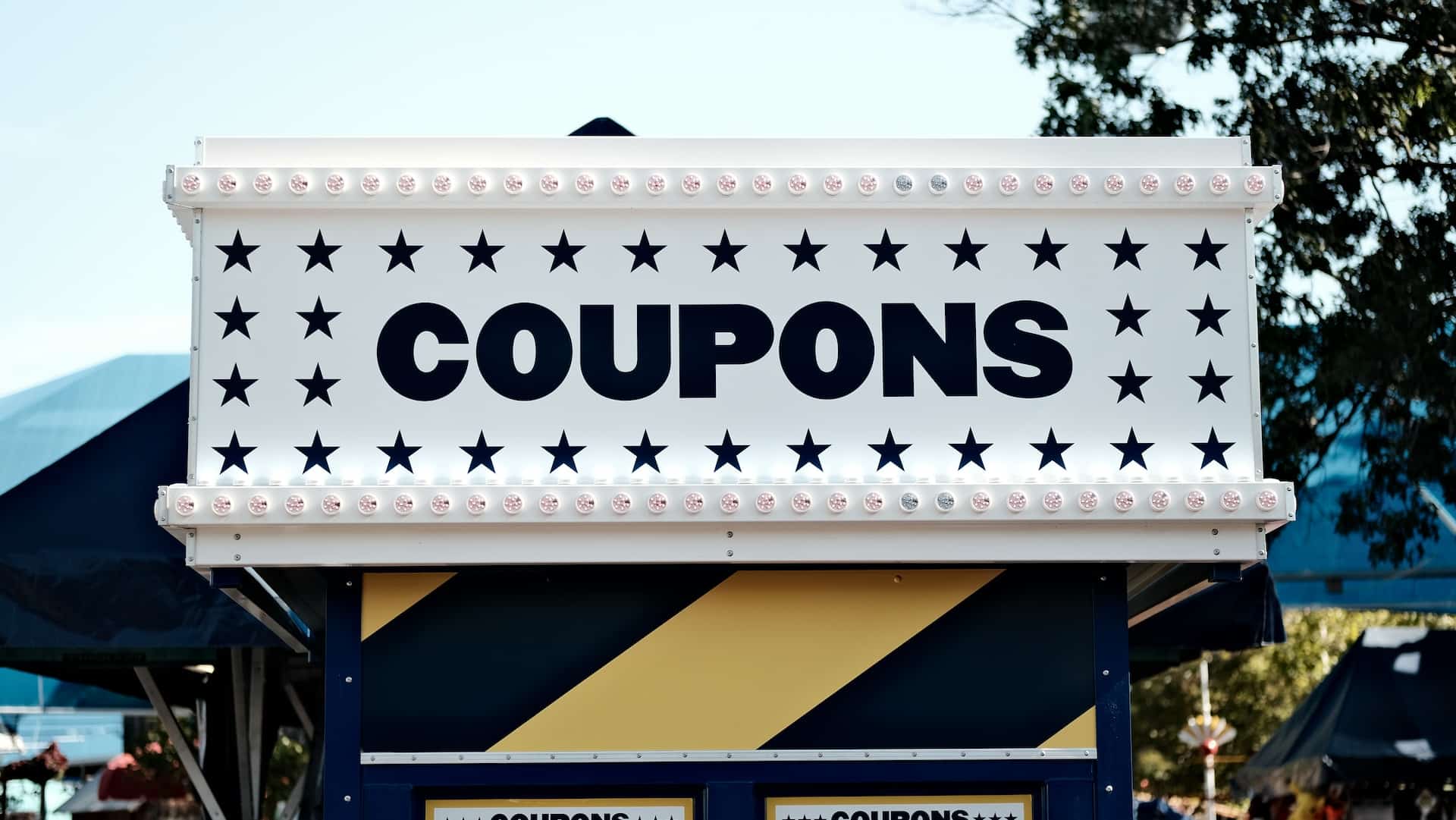
    Photo by Carli Jeen on Unsplash

  • How to Limit Coupon Use to Certain Products in WooCommerce

    How to Limit Coupon Use to Certain Products in WooCommerce

    How to Limit Coupon Use to Certain Products in WooCommerce

    WooCommerce coupons are a fantastic way to attract customers and boost sales, but sometimes you may want to apply them selectively to specific products. This can be especially useful when you want to offer discounts for clearance items, promote certain product categories, or encourage the purchase of bundled products. In this blog post, we’ll show you how to limit coupon use to certain products in your WooCommerce store, giving you more control over your discount strategies.

    Table of Contents:

    1. Understanding the Need for Targeted Coupons

    • Explore why you might want to restrict coupon usage to particular products and how it can benefit your e-commerce strategy.

    2. Creating a New Coupon in WooCommerce

    • A step-by-step guide on how to create a new coupon in your WooCommerce dashboard, including defining the coupon’s details, such as the discount type and amount.

    3. Restricting Coupons by Product

    • Learn how to apply restrictions to your coupon by limiting its use to specific products. This can be done using product SKUs, categories, or individual product IDs.

    4. Using Product Categories to Apply Coupons

    • Discover how to create coupons that target entire product categories, making it easier to promote or clear out certain product groups.

    5. Customizing Coupon Codes for Product-Specific Discounts

    • Explore how to create unique and easily recognizable coupon codes for product-specific discounts, ensuring that customers can redeem the discounts without confusion.

    6. Setting Up Coupons for Bundled Products

    • Learn how to create bundled product discounts, where customers receive a special offer when they purchase a combination of products.

    7. Real-World Examples of Targeted Coupons

    • Dive into case studies of e-commerce businesses that have effectively utilized product-specific coupons to drive sales and promotions.

    8. Troubleshooting and Tips

    • Address common challenges and issues that may arise when creating product-specific coupons and explore tips to streamline the process.

    9. Advanced Coupon Strategies

    • For those seeking to take their coupon game to the next level, discover advanced strategies like cross-selling and upselling using product-specific coupons.

    10. Conclusion and Implementation

    • Summarize the key takeaways from the guide and provide actionable steps to implement product-specific coupons in your WooCommerce store.

    By learning how to limit coupon use to certain products, you can take your WooCommerce discount strategies to the next level, providing customers with targeted offers that are more relevant and compelling. Whether you’re looking to clear out inventory, promote specific product lines, or encourage bundled purchases, this guide will equip you with the knowledge and tools needed to fine-tune your coupon strategy for maximum impact. So, get ready to enhance your e-commerce store’s efficiency and profitability by targeting your customers with precisely tailored discounts.

  • WooCommerce Coupon Best Practices: Dos and Don’ts

    WooCommerce Coupon Best Practices: Dos and Don’ts

    Introduction – WooCommerce Coupon Best Practices

    WooCommerce, a widely used e-commerce platform for WordPress, offers an array of features to enhance your online store’s functionality. Among these features, WooCommerce coupons are an invaluable tool for attracting and retaining customers while boosting sales. However, like any powerful tool, they need to be wielded with care and precision to ensure they deliver the intended results. In this blog post, we’ll explore the best practices when it comes to using WooCommerce coupons, along with common mistakes to avoid.

    The Dos:

    1. Plan Your Coupon Strategy:

    • Start with a clear plan. Define your objectives, such as increasing sales, rewarding loyal customers, or clearing out excess inventory. Your strategy should align with your business goals.

    2. Use Descriptive Coupon Names:

    • Create easily recognizable and descriptive coupon names. This not only helps you keep track of your coupons but also assists customers in understanding the offer.

    3. Set Expiration Dates:

    • Coupons with expiration dates create a sense of urgency. Use this feature to encourage prompt purchases and to prevent customers from hoarding coupons.

    4. Offer Value to Customers:

    • Ensure that your coupon offers provide genuine value to customers. The discount or deal should be attractive enough to motivate action.

    5. Target Specific Customer Segments:

    • Utilize WooCommerce’s segmentation capabilities to target coupons to specific customer groups. This allows you to provide personalized offers to different types of customers, increasing relevance.

    6. Communicate Clearly:

    • Make sure your coupon terms and conditions are clearly communicated to customers. Avoid ambiguity and ensure they understand how to redeem the coupon.

    7. A/B Test Coupon Campaigns:

    • Experiment with different coupon offers and delivery methods. Use A/B testing to determine which coupons are the most effective at achieving your goals.

    8. Monitor and Analyze Performance:

    • Keep a close eye on your coupon campaigns’ performance. Use WooCommerce’s built-in reporting tools to gauge the effectiveness of your coupons and make data-driven decisions.

    The Don’ts:

    1. Overuse Discounts:

    • Avoid a constant barrage of discounts, as this can devalue your products and erode profit margins. Reserve coupons for strategic purposes.

    2. Ignore Expiry Dates:

    • Neglecting to set expiry dates can lead to customers using outdated coupons, causing confusion and potential revenue loss. Keep coupons current.

    3. Hide Restrictions:

    • Be transparent about any limitations or restrictions on your coupons. Hiding crucial details can lead to customer frustration and disappointment.

    4. Neglect Mobile Optimization:

    • With an increasing number of shoppers using mobile devices, ensure that your coupon redemption process is mobile-friendly. Test it thoroughly on various devices.

    5. Complex Redemption Processes:

    • Keep the redemption process simple and user-friendly. Cumbersome, multi-step processes can deter customers from using coupons.

    6. Disregard Security:

    • Implement security measures to prevent coupon misuse, such as limiting the number of times a coupon can be used by a single customer.

    Wrap Up – WooCommerce Coupon Best Practices

    If you have a specific requirement around coupons get in touch to see if I can code up a custom solution.

  • 10 Creative Ways to Use WooCommerce Coupons for Customer Loyalty

    10 Creative Ways to Use WooCommerce Coupons for Customer Loyalty

    Introduction – 10 Creative Ways to Use WooCommerce Coupons

    In the fiercely competitive world of e-commerce, customer loyalty is the holy grail for online businesses. Building a loyal customer base can mean the difference between surviving and thriving. One powerful tool in your arsenal to achieve this is WooCommerce coupons. While discounts are a common way to attract customers, there are creative ways to use WooCommerce coupons to foster customer loyalty. In this blog post, we’ll explore ten innovative strategies to keep your customers coming back for more.

    1. Personalized Discounts:

    Offer personalized coupons based on a customer’s purchase history or behavior. For example, if a customer frequently buys athletic shoes, send them a discount code for their favorite brand or related accessories.

    2. Exclusive Social Media Promotions:

    Reward your social media followers with exclusive coupon codes. Encourage customers to follow, share, and engage with your brand online to access these special discounts.

    3. Referral Discounts:

    Turn your customers into advocates by offering discounts for successful referrals. When a customer refers a friend who makes a purchase, both the referrer and the new customer can receive discounts.

    4. Birthday Treats:

    Send a birthday email with a coupon code. This personal touch makes customers feel valued and encourages them to return to your store to celebrate their special day.

    5. Gamified Coupons:

    Create a sense of excitement by using gamified coupons. Customers can spin a wheel, scratch off a card, or play a simple game to reveal their discount. This not only makes the process fun but also memorable.

    6. Milestone Coupons:

    Celebrate customer milestones, like the first purchase anniversary or the 10th order, with special coupons. Acknowledging these moments can create a strong emotional connection.

    7. Subscription Perks:

    If you offer subscription products, provide loyalty coupons to encourage customers to continue their subscriptions. Offer discounts, freebies, or exclusive access to new products.

    8. Abandoned Cart Recovery:

    Send abandoned cart reminder emails with an added incentive, like a coupon code, to entice customers to complete their purchase. This not only recovers potential sales but also shows customers you care.

    9. Seasonal and Holiday Coupons:

    Use holidays and seasons to your advantage. Create special discounts for various occasions, from Valentine’s Day to Black Friday. These themed coupons can create a sense of urgency and excitement.

    10. Review-Based Rewards:

    Encourage customers to leave reviews by offering discounts in return. Positive reviews not only help your brand’s reputation but also give customers a reason to return.

    Incorporating these creative strategies into your WooCommerce coupon marketing can help you build strong, long-lasting customer relationships. Remember that while discounts are an excellent way to attract customers, using them creatively to build customer loyalty is what truly sets your brand apart. Experiment with these ideas, track their effectiveness, and tailor them to fit your specific audience and business goals. By doing so, you’ll be well on your way to fostering a loyal and enthusiastic customer base for your e-commerce store.

    Wrap Up – 10 Creative Ways to Use WooCommerce Coupons

    If you need help setting up coupons for your site why not work with me to do that.

    Photo by Perry Merrity II on Unsplash

  • So I Spent $2,000 on youtube ads, here what I got for my money.

    So I Spent $2,000 on youtube ads, here what I got for my money.

    I’ve been running a paid advertising test on YouTube to see if it’s a good way to attract clients into my service business. Here’s a blog post on my results.

    Big Fat Lonely Zero

    I would love to say that I’m rolling in clients due to my ad spend on YouTube but I can tell you, dear reader I got nothing but a bill from Google.

    No email signups, no leads, absolutely nothing. Wait! That’s not quiet correct, I got a lot of click throughs to my site that generate nothing. I don’t want to sound bitter about this experiment, because we need to test these things, but it was 100% a failure.

    I know you are a little disappointed and were looking for that key to building a killer sales funnel, but YouTube does not seem to the traffic source you need to sell services.

    My Thinking Behind Running YouTube Ads

    YouTube can be thought of as a a search engine, it’s not just an algorithm throwing cute cat video at you.

    How many times have you done to YouTube, how to I change the widget on my 2008 version of a car, and some expert has recorded a how to video.

    I thought I could link with people searching for how to videos to build their sites and convince them to hire me instead. By was I wrong 🙂

    How I Planned To Convert The Traffic

    I used a series of different funnels to see if I could capture peoples email addresses from a click on YouTube and then convert them using an email sequence. Here’s what I tried

    A webinar – I sent people to this webinar landing page to teach people about the 5 pillars of optimization so people can earn more money from their WooCommerce store, no signups.

    My free code generator – I tried to sell the AI story that we can all code using AI, nope nobody wanted to enter their email address to get free code.

    A squeeze page to VSL – I went old school and had a Video Sales Letter (VSL) to sell my service, no email addresses for me.

    UPDATE – I was running YouTube ads as a more scalable way to try and attract new clients, in my mind it’s faster and more scalable than content marketing.

    What I Found From This Experiment

    I got loads of traffic, YouTube will give you that. My analytics showed people stayed for next to no time and clicked back to their videos.

    I got loads of shite traffic from display networks. YouTube runs their ads on other people sites, and they can earn money via Adsense for clicks

    There is no way to limit ads being shown on the display network and as a result I was getting people from sites like:

    • https://animal.mamamath.net/
    • https://www.poemhunter.com/
    • https://hot-thai-kitchen.com/
    • https://en.dailypakistan.com.pk/

    None of these are related to my services and it looks like I was probably getting bot clicked for ad revenue.

    YouTube Is The Biggest TV Station In The World

    Service providers, think of YouTube as a TV network, no one wants the ads just like traditional TV.

    People are there to be entertained or find how to videos to do it themself, not find and hire people.

    Wrap Up

    I’m licking my wounds and moving on from YouTube advertising, it didn’t work for me, so onto the next shiny objec.. ooh look a squirrel.

    As a side note I sent a single email to my list of existing client’s and generated loads of work, it’s easier to sell to people that know, like and trust you rather than selling to a cold person on YouTube.

    I think YouTube will work with people selling how to training, I just don’t think it’s the place to sell services.

    If you would like to work with me to build your WooCommerce store, let’s use the tried and test content marketing approach by adding a link to my hire me page at the end of my content.

    Photo by Christine Roy on Unsplash